

Descripción
HivePress is an all-in-one directory plugin that allows you to create any type of listing website. From business directories and job boards to real estate listings, classified ads, or staff directories – HivePress has got you covered.
Demo | Themes | Extensions | Docs | Support
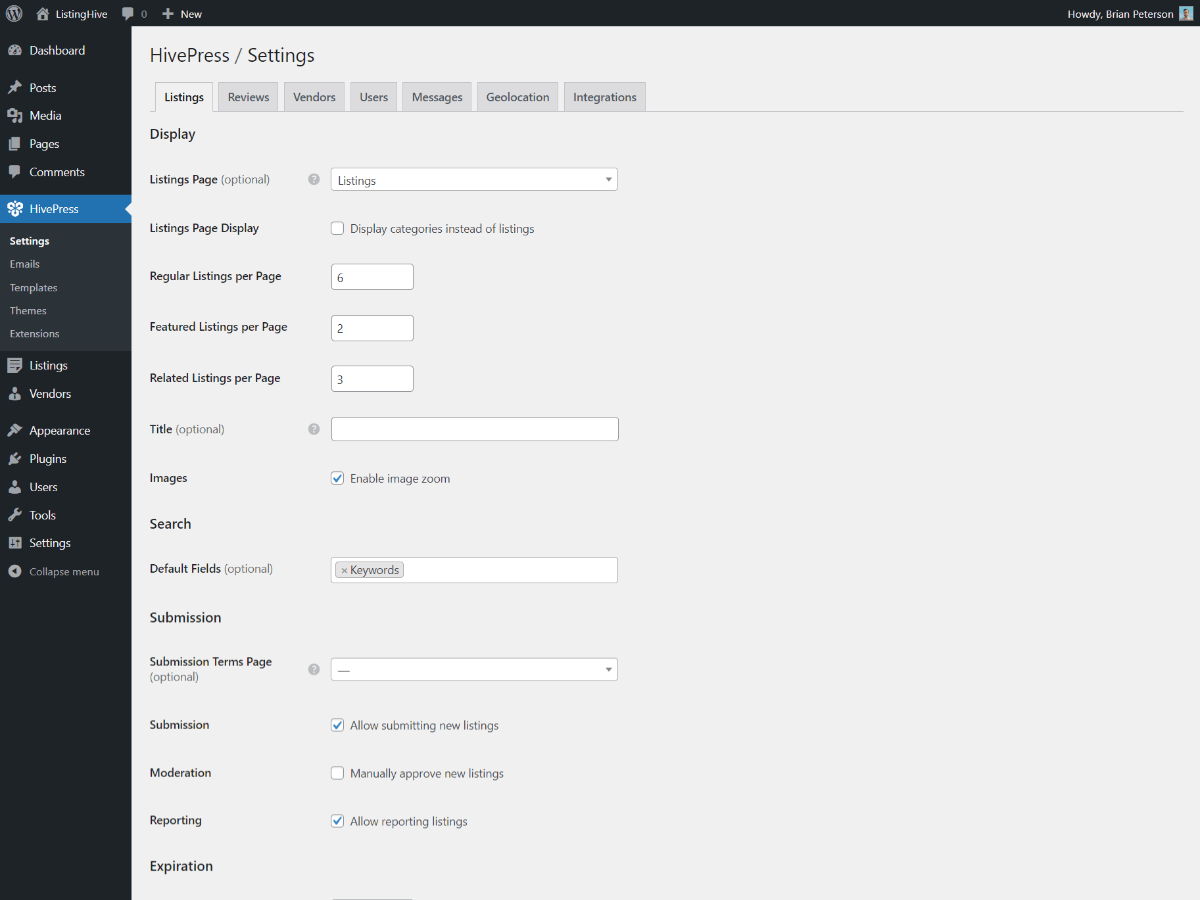
It’s a highly customizable directory plugin with flexible custom fields and monetization options available, allowing you to create a directory website for any niche and business model. Moreover, if you’re familiar with coding, HivePress also offers developer-friendly tools and resources, making it easy to customize or extend its functionality.
Packed with features
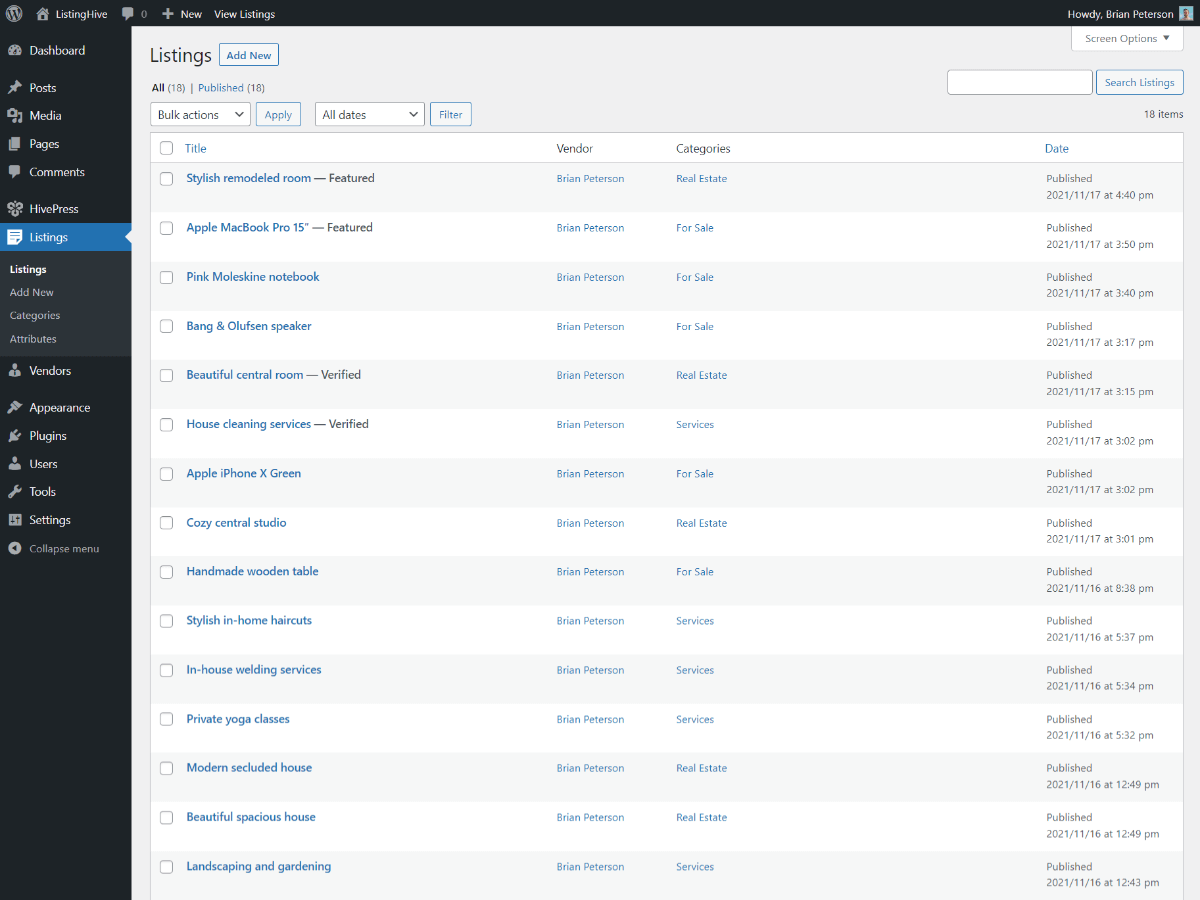
This plugin comes with all the essential features for building a directory, marketplace, or classifieds website, allowing users to easily add, manage, and search listings.
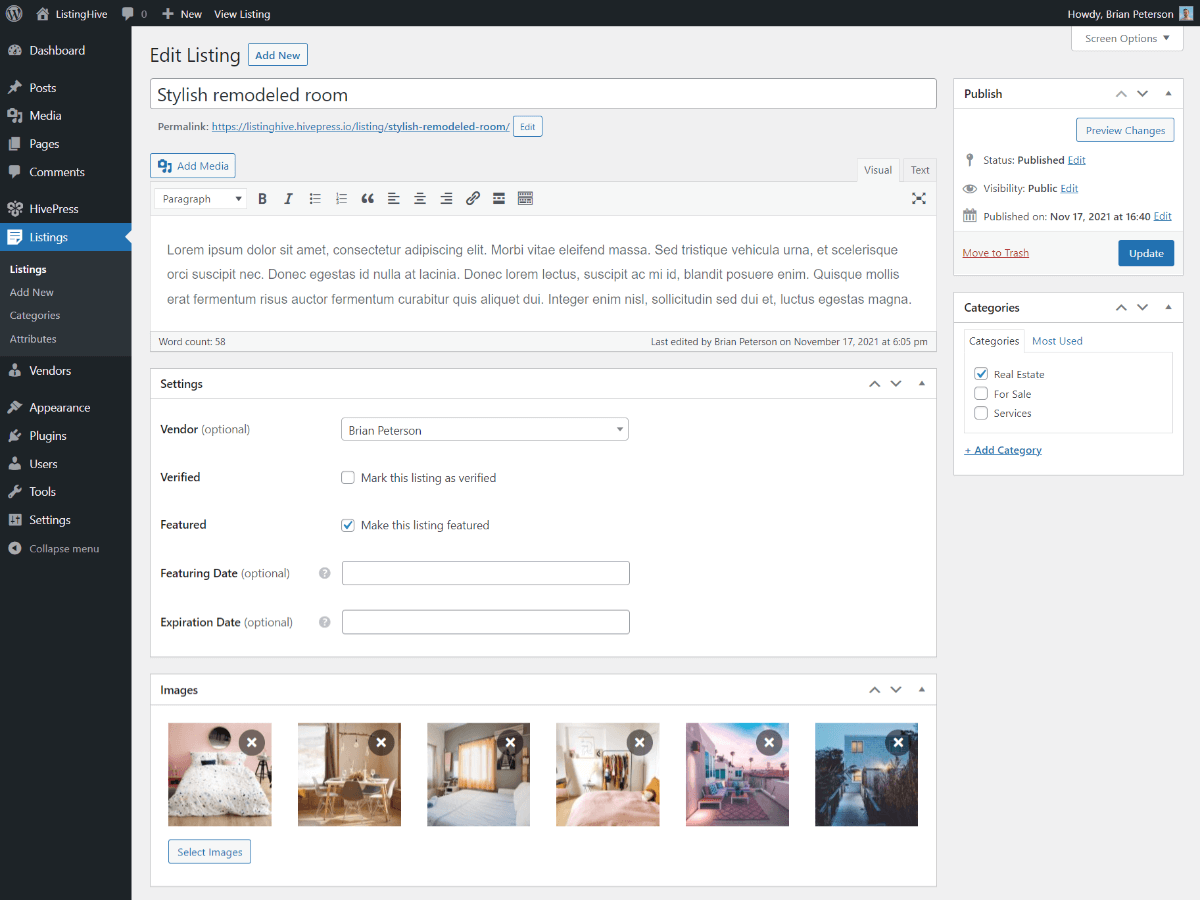
- Custom Fields – create various custom fields for your directory listings with custom validation rules and display settings, allowing you to tailor the listing form and page to your website’s niche and requirements.
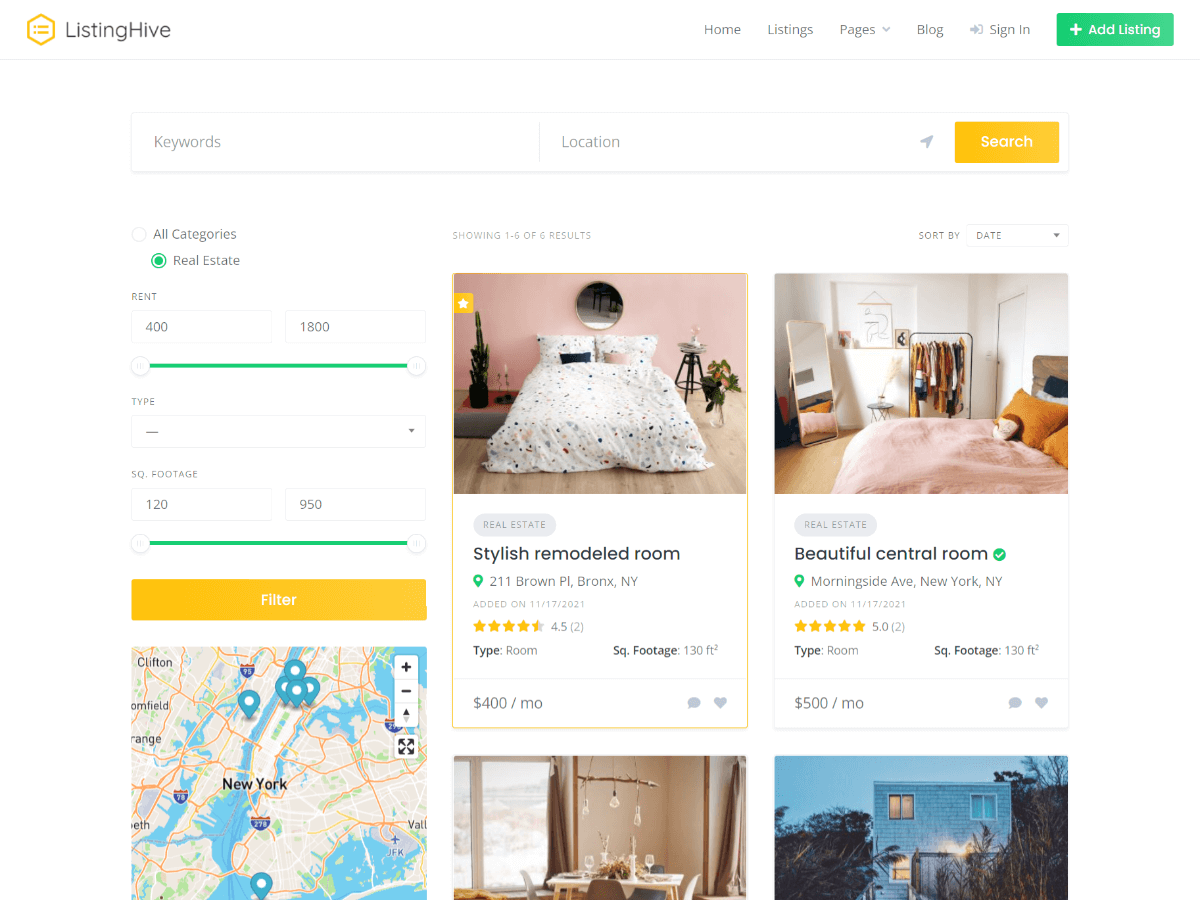
- Search Filters – turn any custom field into a listing search filter, allowing users to quickly find relevant listings in your directory based on specific criteria.
- Listing Categories – add unlimited multi-level categories with category-specific custom fields to define different listing types and help users navigate your directory.
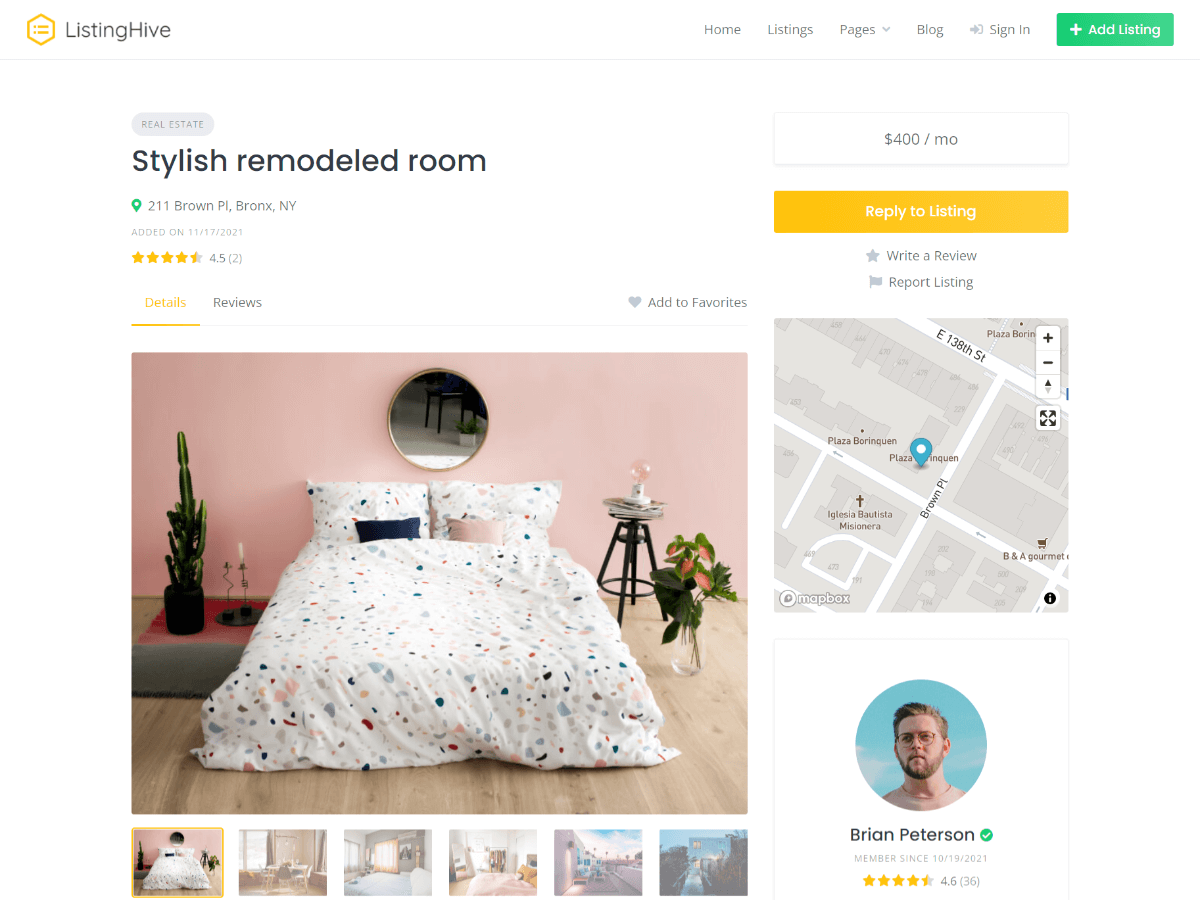
- User Accounts – each user registered on your directory has a front-end dashboard where they can add and manage directory listings, or update their public profile.
- Template Editor – if needed, you can easily customize any page layouts of your directory without coding skills using the familiar WordPress block editor.
- Email Editor – similarly to templates, you can override any default email notifications and customize them directly in your WordPress dashboard.
Note that HivePress is not limited to its core functionality, since it is designed to be modular and allows you to extend its functionality by installing add-ons. For example, you can install free add-ons available in the WordPress plugin repository to enable features such as Favorites, Messages, Geolocation, or Reviews for your directory in just a few clicks.
One solution for any niche
HivePress is not just a directory plugin – it’s a versatile framework for building marketplaces, directories, and classifieds across any business niche. Below are just a few examples of websites that can be built with HivePress, its themes, and extensions:
- Business Directory – create a “yellow pages”-style directory where businesses can list themselves, and potential customers can easily find and contact them.
- Classifieds Website – build a fully featured platform where users can post and manage various classified ads, from items for sale to services.
- Service Marketplace – launch a multi-vendor marketplace that connects customers with service providers, allowing users to browse and book services.
- Job Board – build a job listing portal that allows candidates to easily browse companies and job listings, and apply for open positions.
- Neighborhood Directory – start a local community where residents can discover and connect with businesses and other people in their area.
- Freelance Marketplace – create a peer-to-peer platform where freelancers can list their services, and clients can post custom jobs and receive offers.
- Store Locator – offer a portal where users can quickly find nearby stores, branches, or service points, making it simple to discover and access local services.
- Staff Directory – create a directory showcasing profiles of your company’s staff, make it private or public, and allow users to search for profiles.
- Car Marketplace – build a car directory where individual sellers or dealerships can add and manage car listings, and allow potential buyers to respond to listings.
- Restaurant Directory – launch a directory that features local restaurants, complete with menus, reviews, opening hours, and location details.
- Event Directory – create a website for upcoming events by listing local or global events with detailed descriptions, dates, and venues.
- Member Directory – run a member-only directory where listings represent member profiles, enabling members to search for and contact each other.
- Church Directory – create a directory that features local churches, including service times, locations, contact details, and community information.
- Lawyer Directory – launch a professional directory where law firms and individual lawyers can list their services, allowing users to easily find legal experts.
- Real Estate – create a real estate or vacation rental directory, allowing users to list properties for rent or sale with detailed descriptions, photos, and pricing details.
- Beauty & Health – build a doctor directory or list beauty specialists, helping users quickly find experts, view profiles, and check reviews before making a choice.
Of course, the above list is not complete, as we have listed the most common ones – there are dozens of different directory and marketplace niches and business models out there, and by choosing the right plugin, backed by the right theme and add-ons, you can build your own.
Multiple monetization options
With HivePress and its add-ons, you can build a business, not just a listings website. This directory plugin supports several monetization models, helping you turn your website into a revenue stream:
- Paid Listings – offer listing packages with different restrictions to charge users for adding and renewing directory listings.
- Featured Listings – allow users to pay to highlight their listings and display them at the top of directory search results.
- Claim Listings – list businesses on your directory and allow business owners to claim and manage their listings for a fee.
- Membership Plans – turn your website into a members-only directory, restricting access to viewing listing details or messaging.
- Marketplace Listings – allow users to sell listings through your directory and charge a commission on each successful sale.
- Ad Placement – the most common, simple yet effective way to monetize a directory website once you reach decent traffic.
The above list is not exhaustive, and you can combine different options into unique monetization models. For example, you can enable bookings for marketplace listings or charge a commission on custom offers.
Switch designs with ease
There are free and premium themes officially integrated with HivePress, ensuring maximum compatibility, so you can start with a design that matches your requirements or switch your directory website’s design later without losing any data.
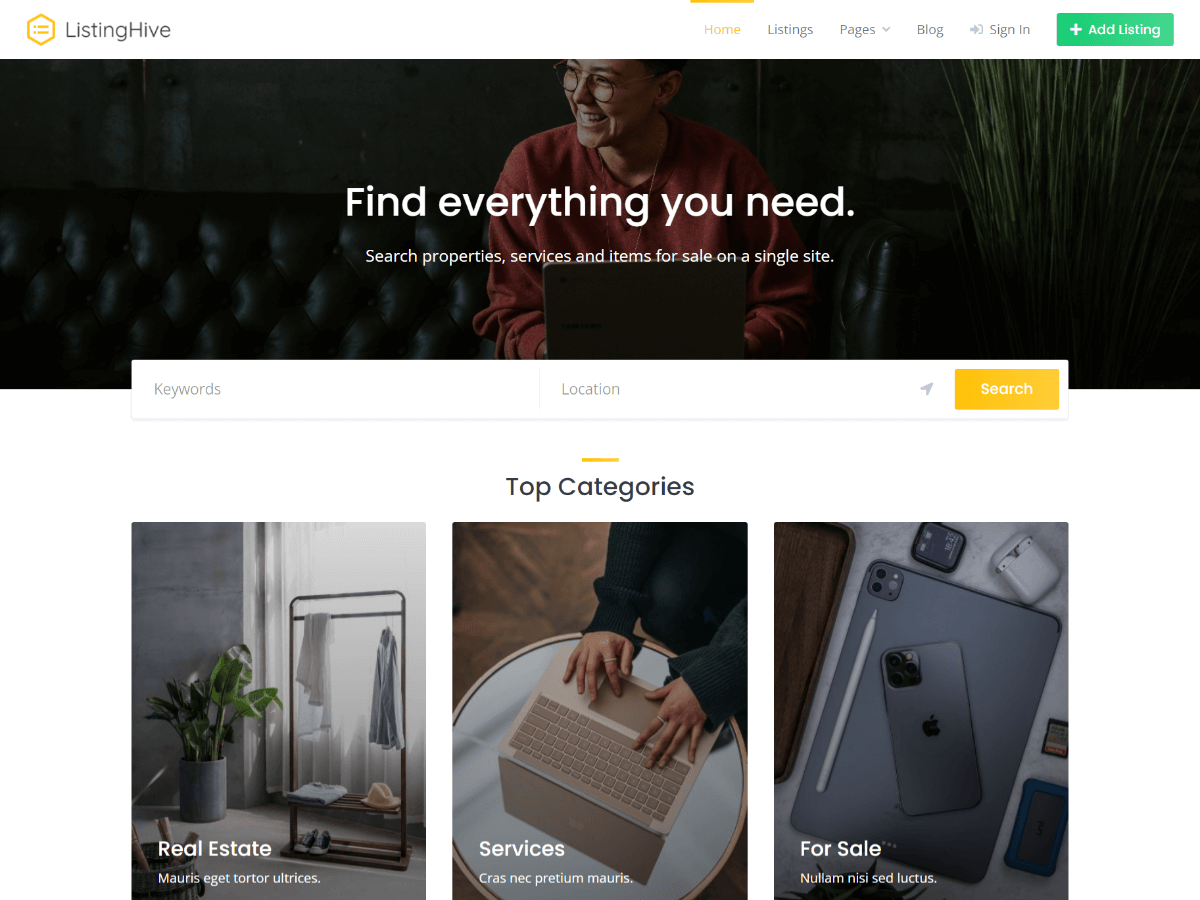
- ListingHive – a free multipurpose directory and classified ads theme, suitable for creating directory websites of any type, such as Yelp or Craigslist.
- RentalHive – a versatile theme for any kind of rental and booking marketplace that allows you to launch rental marketplaces similar to Airbnb or Vrbo.
- ExpertHive – an on-demand services marketplace theme, suitable for building platforms with business models similar to TaskRabbit or Thumbtack.
- MeetingHive – a modern theme for various appointment booking platforms that makes it possible to launch a marketplace similar to Booksy or Preply.
- TaskHive – a fully featured freelance marketplace theme for creating platforms similar to Fiverr or Upwork, or digital marketplaces like Creative Market.
- JobHive – a clean and modern theme for building job boards and job portals, enabling you to launch job search websites similar to Indeed or Monster.
The platforms and services mentioned above are used only as examples of possible business models. With HivePress themes, you can also build websites for a wide range of other business models. All mentioned names remain the property of their respective owners and do not imply any affiliation or endorsement.
Do more with extensions
HivePress is extensible by design, which means you can build websites with different functionality using various combinations of extensions, while avoiding bloat by keeping only the features you need. There are numerous free and premium extensions available for HivePress, with many more on the way:
- Favorites – allow users to keep a list of favorite listings.
- Messages – enable private messaging so users can reply to listings.
- Geolocation – enable location-based search for listings and vendors.
- Reviews – allow users to rate and review listings and vendors.
- Claim Listings – allow users to claim their business listings and manage them.
- Memberships – monetize your website by restricting access to certain features.
- Marketplace – allow users to sell listings and charge a commission on each sale.
- Bookings – enable bookings for listings, allowing users to manage availability.
- Requests – allow users to post custom jobs, while vendors can respond with offers.
- Social Login – simplify registration by enabling login via social platforms.
- Social Links – allow users to add links to social platforms on their listings.
- Badges – automatically award user badges based on custom conditions.
- Opening Hours – allow users to set opening hours and enable filtering by them.
- Search Alerts – allow users to receive notifications about new listings.
- Statistics – allow users to view visitor statistics for their listings.
- Import – allow users to bulk import or update listings via CSV files.
- Tags – improve search by allowing users to add custom tags to listings.
- SEO – enhance your directory’s SEO with meta tags and Schema markup.
Since HivePress is open-source and has a flexible API, there is a growing ecosystem of custom-built HivePress extensions and ready-made code snippets shared by developers on the community forum. Therefore, the above list of add-ons is not exhaustive, and you can benefit from third-party HivePress solutions or even contribute by developing your own.
Help when you need it
This directory plugin is directly supported by its developers, the people who know it best, so any issues are handled with a deep understanding of how it works. Plus, there’s an AI Assistant familiar with all the resources and solutions we’ve provided over the years, ready to assist you 24/7, from help with setting up to general developer guidance.
Beyond support, HivePress comes with various resources to help you along the way:
- A comprehensive knowledge base where you can find guidance and solutions to the most common issues.
- The HivePress blog, where we post detailed tutorials on how to build and monetize directory websites for different niches.
- A YouTube channel with detailed video courses and screencasts about setting up and using HivePress with its themes.
- A collection of ready-made code snippets that you can simply copy and paste to customize HivePress functionality.
You can also join the community forum to report bugs, suggest features, or simply exchange experiences with other website owners and developers, helping improve HivePress together.
Built to be customizable
If you need to customize your directory beyond the available features and have at least basic coding skills, then look no further – HivePress is powered by a highly customizable and extensible framework for directory websites:
- Structured Code – we follow WordPress coding standards, so the codebase is well-structured, readable, and easy to navigate.
- Easy Theming – styling and overriding layouts is intuitive thanks to block-based templates, clean HTML markup and CSS notation.
- Hooks API – a collection of action and filter hooks for customizing or extending core HivePress functionality without direct modifications.
- REST API – there’s an API endpoint for each front-end action, making it possible to integrate HivePress with third-party platforms.
- Docs & Snippets – a collection of ready-made code snippets, API references, and documentation to help you along the way.
- AI Assistant – trained on the HivePress codebase and developer resources, it can provide guidance or even suggest code snippets.
In addition to the resources above, there’s also a community forum where you can join a growing community of developers sharing code snippets and custom HivePress extensions, or even share your own solutions to help and contribute to HivePress.
Secure at the core
When developing HivePress, we follow WordPress coding standards and best security practices, ensuring that all user input is validated and output is safe. Moreover, there are various features available out of the box to keep your directory secure:
- Built-in Captcha – enable captcha for any available front-end forms.
- Email Verification – require users to verify their email addresses on registration.
- Listing Moderation – manually review and approve each submitted listing.
- Report Listings – allow users to report listings that violate your directory terms.
- Message Blocklist – automatically block messages containing specific keywords.
- Message Monitoring – manually review messages to prevent suspicious activity.
- Restrict Dashboard – restrict access to the WordPress dashboard for regular users.
Moreover, since HivePress is open-source and self-hosted software, unlike SaaS alternatives, you fully own your directory data, which is stored entirely in your website’s database, giving you more control over your data, security, and privacy.
Capturas
Instalación
Since HivePress is available in the WordPress plugin repository, you can simply go to Plugins > Add New in your WordPress dashboard, search for “HivePress”, and click Install, then Activate. Alternatively, you can manually download the plugin ZIP file using the Download button above and upload it via Plugins > Add New > Upload.
If you haven’t chosen a theme for your website yet, it’s recommended to use one of the official HivePress themes for maximum compatibility. For example, you can start with the free ListingHive theme and its demo content to avoid building everything from scratch.
Once you install HivePress and choose a theme, you can complement it with HivePress extensions, depending on your website niche and requirements. You can find the available extensions in the HivePress > Extensions section of your WordPress dashboard.
FAQ
-
What types of directory websites can I build with HivePress?
-
HivePress allows you to create directory websites of any type, from business directories and classified ads sites to job boards and real estate listings. There are no hard-coded fields or categories, so you can easily tailor it to your needs.
-
Can I monetize a directory built with HivePress?
-
Yes, depending on your monetization model, you can enable monetization with extensions such as Memberships or Marketplace. For payments, HivePress is integrated with the WooCommerce plugin, so you can use any payment gateways available for it.
-
Does HivePress allow users to add listings from the front end?
-
Sure – this directory plugin includes all the required front-end features, allowing users to create an account and log in, submit and manage listings, search and reply to listings, all without accessing the WordPress dashboard.
-
Is there a limit to the number of listings that HivePress can handle?
-
There’s no such limit defined in HivePress itself, and while we prioritize performance and continuously optimize the HivePress framework with every update, directory website performance heavily depends on factors such as the hosting plan, website configuration, and third-party plugins.
-
Can I bulk import directory listings with HivePress?
-
Yes, since HivePress implements directory listings as a WordPress custom post type, you can use any compatible import plugin of your choice, or use the official Import extension to create or update listings in bulk from a CSV file.
-
Do I need coding skills to use HivePress?
-
No, you don’t need any coding skills to use HivePress. The plugin is designed to be user-friendly and accessible to everyone, regardless of technical expertise. You can set up a fully functional directory website, customize listing fields, create categories, configure search filters, and manage monetization options – all through an intuitive interface, with no code required.
-
Is HivePress developer-friendly?
-
Absolutely – we developed the HivePress framework to be as simple as possible, yet highly customizable. If you’re familiar with coding, you can customize or extend HivePress functionality with the AI Assistant, collections of code snippets, and developer resources such as hooks and code references.
-
Can I use HivePress with third-party themes?
-
Yes, as a plugin, HivePress adds directory functionality to any WordPress theme. However, if you encounter any styling or layout issues, we recommend using one of the official themes to ensure maximum compatibility.
-
Does HivePress support third-party page builders?
-
By default, HivePress is fully integrated with the core WordPress block editor, allowing you to customize layouts using blocks. Additionally, we offer basic Elementor integration and plan to add support for other page builders.
-
Can I translate HivePress to my language?
-
Yes, you can easily translate HivePress, its themes, and extensions without code changes using a plugin like Loco Translate or software like Poedit. Moreover, the HivePress core and its free extensions are already translated into a few languages by volunteers from the WordPress plugin repository.
Reseñas


Colaboradores y desarrolladores
«HivePress – Business Directory, Listings & Classified Ads Plugin» es un software de código abierto. Las siguientes personas han colaborado con este plugin.
Colaboradores
«HivePress – Business Directory, Listings & Classified Ads Plugin» ha sido traducido a 28 idiomas locales. Gracias a los traductores por sus contribuciones.
Traduce «HivePress – Business Directory, Listings & Classified Ads Plugin» a tu idioma.
¿Interesado en el desarrollo?
Revisa el código , echa un vistazo al repositorio SVN o suscríbete al registro de desarrollo por RSS.