

Descripción
CoBlocks is the most innovative collection of page building WordPress blocks for the new Gutenberg WordPress block editor.
With additional blocks and true row and column building, CoBlocks gives you a true page builder experience for Gutenberg.
CoBlocks is powerful but lightweight: it adds functionality to the WordPress editor without bloat. This is the plugin you’ve been waiting for, and it will make you rethink what WordPress is capable of.
Make Beautiful Web Pages With Gutenberg & CoBlocks
CoBlocks is the last page builder you’ll ever need: you get a winning mix of additional WordPress blocks, and page builder functionality. With CoBlocks you have everything you need to make beautiful web pages with the new block editor:
- Accordion Block
- Alert Block
- Author Profile Block
- Carousel Gallery Block
- Click to Tweet Block
- Collage Gallery Block
- Counter Block (New!)
- Dynamic Separator Block
- Events Block
- FAQ Block
- Features Block
- Food & Drinks Block
- Form Block
- Gif Block
- GitHub Gist Block
- Hero Block
- Highlight Block
- Icon Block
- Logos & Badges Block
- Map Block
- Masonry Gallery Block
- Media Card Block
- Offset Gallery Block
- OpenTable Reservations Block
- Post Carousel Block
- Posts Block
- Pricing Table Block
- Resizable Row/Columns Blocks
- Services Block
- Shape Divider Block
- Social Profiles Block
- Social Sharing Block
- Stacked Gallery Block
Breakthrough Page Builder System
CoBlocks features an innovative block system that allows you to create stunning web pages, and even entire websites, with the new WordPress editor.
You get the extra blocks you need and the layout and design functionality for a true page builder experience.
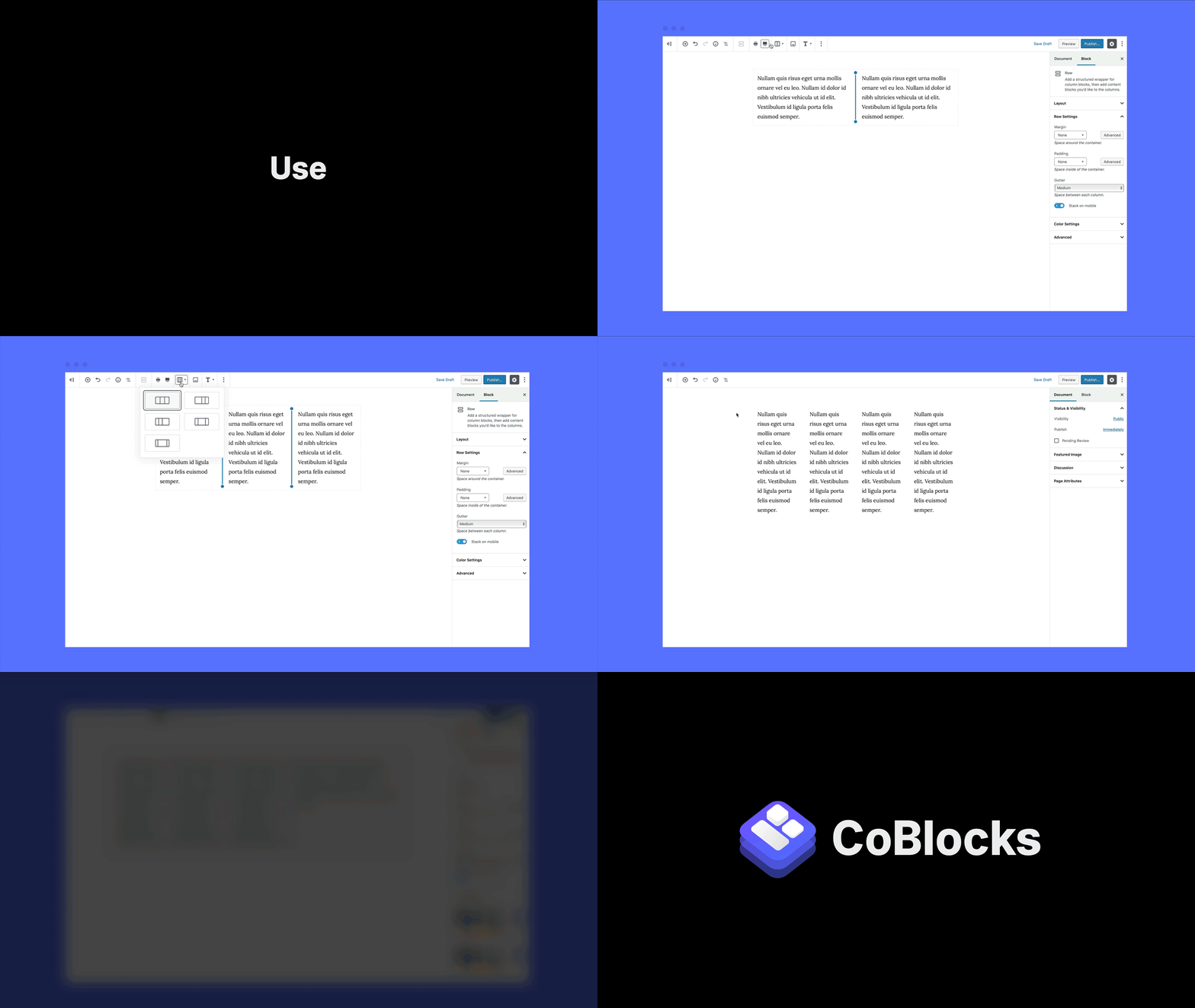
Use the exceptional Row and Columns blocks to add dynamically generated content areas with specific responsive margin and padding settings that only CoBlocks provides.
Style these with innovative new blocks such as the Shape Divider, which lets you split up your content with beautiful dividers.
Each of the WordPress blocks within CoBlocks have been precisely fined tuned to offer a familiar, yet powerful, customization experience. Tailor each block to your taste using our custom controls and settings. Change fonts, set margin and padding, pick colors and more.
Custom Typography Controls
The breakthrough Typography Control Panel within CoBlocks lets you design web pages with alluring typographic elements. Set fonts, sizes, weights, transformations and more, in our CoBlocks blocks, and in core WordPress blocks.
Free Companion Theme
CoBlocks is built to show off the best of Gutenberg, but it requires a Gutenberg-first theme to unlock its full potential. We also created the free Go theme in the WordPress theme repository as the perfect companion for CoBlocks.
Going Beyond Gutenberg Blocks
The vision for CoBlocks is to create a suite of Gutenberg blocks to help folks make beautiful websites easily. These newest releases of CoBlocks is the ultimate expression of that vision.
Built With Developers in Mind
Extensible, adaptable, and open source — CoBlocks is created with theme and plugin developers in mind. If you’re interested to jump in the project, there are opportunities for developers at all levels to get involved. Contribute to CoBlocks on GitHub and join the party. 🎉
Register Custom Block Patterns
Create your own Block Pattern (Appearance > Block Patterns). Seelect the top-most block, Block Toolbar Options, Add Design Pattern to register your Block Pattern and specify which category to assign it to.
Capturas



Bloques
Este plugin proporciona 55 bloques.
- perfiles sociales Haz crecer tu audiencia con enlaces a perfiles de redes sociales.
- Acordeón Organizar el contenido dentro de los elementos desplegables del acordeón.
- Gist Incrusta un Gist de GitHub.
- Fila Añadir una envoltura estructurada para los bloques de columnas, luego añade a las columnas los bloques de contenido que quieres.
- Divisor de forma Add a shape divider to visually distinguish page sections.
- Mapa Agregar una dirección y dejar un pin en un mapa de Google.
- Carrusel Mostrar múltiples imágenes en una bonita galería de carrusel.
- Alerta
- Buttons (Deprecated) This block is replaced by core Buttons block.
- Tabla de Precios Añadir tablas de precios para ayudar a los visitantes a comparar los productos y planes.
- Eventos Añade una lista de eventos o muestra los eventos desde un calendario público.
- Hacer clic para tuitear Añadir una cita para que los lectores la compartan en Twitter.
- Logotipos Añade logotipos, distintivos o certificados para construir credibilidad.
- FAQ Agregue una lista de preguntas y respuestas.
- Icono Añadir un símbolo gráfico estilizado para comunicar algo más.
- Características Añade hasta cuatro columnas de pequeñas notas para tu producto o servicio.
- Compensación Display images in an offset brick pattern gallery.
- Formulario Add a contact form to your page.
- Entradas Muestra entradas o un feed RSS como tarjetas apiladas u horizontales.
- Mesa abierta Incruste un widget de reservas de OpenTable.
- Post Carousel (CoBlocks) Muestra entradas o un feed de un blog externo como un carrusel.
- Autor
- Hero Un área de introducción de una página acompañada por una pequeña cantidad de texto y una llamada a la acción.
- Alimentos y bebidas Mostrar un menú o lista de precios.
- Dynamic Separator Añadir un espaciador adaptable entre otros bloques.
- Servicios Añade hasta cuatro columnas de servicios a mostrar.
- Gif Elegir un gif, cualquier gif.
- Galería de albañilería Display multiple images in a masonry style gallery.
- Tarjeta multimedia Añadir una imagen o vídeo con una tarjeta desplazada de lado a lado.
- Encimera Utilize the CoBlocks Counter block to highlight your company statistics and milestones.
- Destacar Atrae la atención y enfatiza una narrativa importante.
- Testimonials Utilize the CoBlocks Testimonials block to display customer feedbacks.
- Compartir Añadir enlaces para compartir en redes sociales para ayudarte a obtener «me gusta» y para que compartan tus contenidos.
- Apilado Mostrar múltiples imágenes en una galería apilada de una columna.
- Collage Assemble images into a beautiful collage gallery.
- Elemento del acordeón Añadir elementos desplegables al acordeón.
- Columna Un hijo inmediato de una fila.
- Artículo de la tabla de precios Una tabla de precios ayuda a los visitantes a comparar productos y planes.
- Elemento del evento Un evento dentro del bloque de eventos.
- Ítem de preguntas frecuentes Una pregunta/respuesta dentro del bloque de preguntas frecuentes.
- Característica Una columna secundaria única en un bloque principal de características.
- Nombre Un campo de texto para recopilar el nombre y los apellidos.
- Teléfono A text field for collecting a phone number.
- Casilla de verificación Un campo de casilla de selección con múltiples opciones en la que se pueden hacer varias selecciones.
- Web Un campo de texto para recopilar una URL.
- Oculto Un campo de texto oculto para recopilar datos adicionales.
- Fecha Un campo para solicitar selecciones de fecha en un selector de fechas.
- Enviar Un botón para enviar los datos del formulario.
- Correo electrónico Un campo para recopilar una dirección de correo electrónico válida.
- Texto Una caja de texto para respuestas personalizadas.
- Radio Un campo con múltiples opciones en la que se puede hacer solo una selección.
- Área de texto Un cuadro de texto para respuestas más largas.
- Seleccionar Un campo desplegable con múltiples opciones en el que se puede hacer solo una selección.
- Alimento Un alimento o bebida dentro del bloque de Alimentos y Bebidas.
- Servicio Un solo artículo de servicio dentro de un bloque de servicios.
Instalación
- Upload the
coblocksfolder to your/wp-content/plugins/directory or alternatively upload the coblocks.zip file via the plugin page of WordPress by clicking ‘Add New’ and selecting the zip from your computer. - Install and activate the Gutenberg WordPress plugin.
- Activate the CoBlocks WordPress plugin through the ‘Plugins’ menu in WordPress.
- Use CoBlocks blocks on your next page or post.
FAQ
-
Is CoBlocks free?
-
Yes! CoBlocks is 100% free and always will be.
-
How do I start using Gutenberg?
-
To get the full experience of the next-generation WordPress block editor, it helps to have a properly Gutenberg-optizied WordPress theme, like this one and install WordPress 5.0 or higher.
-
How do I use my first CoBlocks Gutenberg blocks?
-
CoBlocks adds its Gutenberg blocks to the new WordPress editor, so you can use them exactly how you would any other WordPress blocks. Once the plugin is installed, create or edit a WordPress page or post, add a new block using the plus icon, and you’ll find all of CoBlocks’ WordPress blocks available.
-
How do I create a custom Block Pattern?
-
CoBlocks enables you to create your own Block Patterns.
1. Select all blocks that belong together for your pattern
2. Under the kebab (3 dots) menu, select Add Design Pattern
3. Name your block and select a category
4. Save Pattern -
What WordPress themes work with CoBlocks?
-
Any properly developed WordPress theme will work with CoBlocks, though if you’re looking for an exceptional free theme, check out Go.
Developers can also apply minor style touch-ups to their themes if necessary. If you’re a developer and you need help, don’t hesitate to reach out.
-
What version of WordPress does CoBlocks work on?
-
CoBlocks is designed to support the last two major versions of WordPress that are currently released. If you’re using one of these versions, you’re all set to enjoy everything CoBlocks has to offer!
Reseñas


Colaboradores y desarrolladores
«Page Builder Gutenberg Blocks – CoBlocks» es un software de código abierto. Las siguientes personas han colaborado con este plugin.
Colaboradores


«Page Builder Gutenberg Blocks – CoBlocks» ha sido traducido a 33 idiomas locales. Gracias a los traductores por sus contribuciones.
Traduce «Page Builder Gutenberg Blocks – CoBlocks» a tu idioma.
¿Interesado en el desarrollo?
Revisa el código , echa un vistazo al repositorio SVN o suscríbete al registro de desarrollo por RSS.
Registro de cambios
3.1.15 / 2025-04-09
Bug Fix
- Prevent site editor crashing when altering the site design styles from within the CoBlocks Labs Site Design. #2631
3.1.14 / 2024-12-20
Bug Fix
- Improve nonce handling and permissions in crop settings API. #2624
3.1.13 / 2024-07-25
Bug fix
- Fix block migration error without dependency #2619
- Fix unescaped excerpts in Posts Blocks – Thank you CleanTalk and Dmitrii Ignatyev #2618
3.1.12 / 2024-06-24
Misc
- Use
wp_safe_remote_get()to retreive remote.icsdata #2614
3.1.11 / 2024-06-13
Bug fix
- Fix disappearing buttons in Services block #2613
3.1.10 / 2024-05-30
Bug fix
- Fix a possible XSS vector #2612
3.1.9 / 2024-04-30
Bug fix
- Prevent local URLs from loading with events block #2607
- Fix Site Content extension loading outside of editor #2609
- Fix Site Design extension failing dom operations #2610
3.1.8 / 2024-04-02
Enhancements
Bug fix
- Fix bug around CoBlocks patterns #2599
Misc
3.1.7 / 2024-03-11
Bug Fix
- Security issue patched #2594
3.1.6 / 2024-02-28
Enhancements
- Introduce a blueprint for WordPress preview #2580
Bug fix
- Load extension styles for core blocks #2591
- Fix Lightbox for all CoBlocks galleries #2589
- Fix Lightbox with A3 Lazy Loading plugin #2588
Misc
- Encode URI component in Typography settings #2584
3.1.5 / 2023-11-06
Enhancements
- Compatibility changes for WP 6.4 #2568
Bug fix
- Fix performance around superfluous data-store selectors #2575
- Fix missing animation scripts in some cases #2576
- Fix php warning occurring in some cases #2572
3.1.4 / 2023-09-07
- Fix missing registered scripts #2566
3.1.3 / 2023-08-28
Bug fix
Misc
- Set supported version to 6.1 #2564
3.1.2 / 2023-08-10
Bug fix
- Resolve Shape Divider bug #2553
- Resolve Form Label warnings #2555
- Resolve Form Array condition #2557
- Fix Form name content order #2558
3.1.1 / 2023-08-09
Bug fix
- Correct
Requires at leastvalue to 6.2 #2552
3.1.0 / 2023-08-08
Enhancements
- Register all blocks in PHP #2521
Bug fix
- Fix captions RichText controls across all galleries #2545
- Fix form block test automation with WP 6.3 #2546
- Fix form block saving with WP 6.3 #2543
- Fix blocks for WP 6.3 compatibility #2538
- Fix PHP Unit tests & update to WP-ENV 8.1.1 #2544
3.0.4 / 2023-06-22
Bug fix
- Validate Site Design nonce and capabilities #2535
Misc