
Descripción
Webba Booking – One-Stop Online Booking Management Solution
Are you looking for an online booking plugin that offers a professional-looking booking form, easy setup and seamless schedule management? Look no further!
Webba Booking is the most versatile and feature-rich event and appointment scheduling plugin now available on the WordPress.org plugins directory.
Say goodbye to complex scheduling tools and embrace the convenience of accepting online bookings with Webba Booking.
Whether you run a wellness business, salon, any sport or rental business, events, consulting, medical clinic, or any business that relies on appointments, events and service booking, Webba Booking is your one-stop solution.
Join thousands of businesses that use Webba to accept and manage bookings through their WordPress website.
We are proud of our 5-star rating and world-class support that is ready to help you have the best experience with Webba.
TRY PRO VERSION FOR FREE | USE CASES & DEMOS | FEATURES | DOCUMENTATION
MAKE ONLINE BOOKINGS EASY WITH WEBBA:
- Offer as many services as you want: add as many bookable services/events as you want and categorize them for your and/or your customers’ convenience.
- No coding experience needed: Webba is super easy to use, integrate and manage your bookings with.
- Manage bookings and schedules with ease: in Webba you’ll see an overview of all your bookings and be able to add/edit/cancel them with a few clicks.
- Control your business hours & holidays: have complete control on your own availability with our powerful schedule tools.
- Enjoy powerful pricing settings: offer pricing based on time, day, number of time slots already booked and many more options.
- Send & Customize Email notifications/reminders: turn on/off any email notifications for you or your customer and customize them with variables and your own flair.
- Get use of our powerful booking logic: use over 20 different booking settings Webba offers to make special cases and rules applicable for your business
- Translate and reach people from all over the world: Webba offers built-in translations and WPML compatibility.
- Track performance through statistics (PRO FEATURE): track and visualize many bookings you get over time
- Create automatic Zoom events (PRO FEATURE): perfect if your service is provided online through Zoom Video Conferencing!
- Offer special deals through Coupons (PRO FEATURE): Whether it’s Black Friday or your Birthday sale – offer promotional coupons through Webba!
- Accept deposits and payments (PRO FEATURE): Secure online payment integrations with Paypal, Stripe, or Woocommerce (with its 100+ gateways).
- Connect with Google Calendar (PRO FEATURE): track your bookings and avoid double bookings with a 2-way Google Cal integration
- Send SMS reminders (PRO FEATURE): we integrate with Twilio
- Comply with strict GDPR (EU) rules: we offer advanced privacy and data protection settings.
- Mobile & Desktop friendly: booking form design that looks good on all devices and you can change colors to fit your brand
Unlock PRO features with Webba Booking PRO.
Explore the full list of Webba Booking features.
OUR CUSTOMERS LOVE US!
We are proud to have near perfect 5/5 score on both WordPress.org and Trustpilot:
“The customer service for this plugin is phenomenal!
The customer service for this plugin is absolutely second-to-none. I’m blown away by how good they are!” – R.Tyrrell
“Webba support is nothing like what you have experienced in your earlier life and everything you are hoping to have with a product. The response times, the professionalism, the friendliness… you name it, they have it. Easiest seven star review I have given!” – Webba Customer
“This plugin is awesome and it can accomplish anything your business needs! OMG the support is NUMBER 1!!!! I will refer this plugin to everyone and let them know the support is just awesome. I am very pleased with everything!” – jbiento
WHICH BUSINESS USE WEBBA THE MOST?
Webba Booking is perfect for spas, salons, rental businesses, event businesses and more. If you need to take any kind of appointments or bookings, this plugin is for you. Here are some of the areas where Webba Booking can be used:
- Specialist booking: personal trainer booking, consultant booking, lawyer booking, wedding coordinators, contractor booking, therapist booking, tutor booking, photographer booking, dance instructors booking, coach booking, any other specialist who needs appointment booking
- Wellness and beauty booking: beauty salon booking, nail salon booking, hair salon booking, cosmetologist booking, hairdresser booking, barbershop booking, manicurist booking, SPA booking, swimming pool booking, massage booking
- Activities booking: event booking, ticket booking, tour scheduling, golf booking, games booking, quest rooms booking, escape room booking, gym booking, fitness booking
- Medical booking system: doctor booking, dentist booking, clinic booking system and other areas related to medicine
- Restaurant booking: table reservation, dining booking, private room reservation
- Equipment and transport rental: car rental system, bike rental, boat rental, yacht booking, technics booking, any other kind of hourly rental
- Education and lessons booking: language school booking system, facility booking, language lessons booking, private tutor booking, driving school lessons booking, private teachers booking, school booking, classroom booking, seminar booking
- Service booking: car service booking, cleaning booking, repairment booking
KEY BENEFITS
Webba Booking makes appointment scheduling and online bookings easy and painless for both business owners and their customers. Here’s how:
- Flexible Scheduling: Fully customizable scheduling options with unlimited services, business hours and calendars.
- Simple Administration: Straightforward but feature-filled administration in the backend.
- Easy set-up and configuration: Booking form integration with shortcodes easily integrated with popular page builders like Elementor, Divi, or Gutenberg blocks
- No coding required: No need to touch a single line of code. Everything can be done from the backend.
- Professional Design: Clean and modern design that looks great on all devices.
- Extensive Documentation: Comprehensive documentation to guide your trough the setup and all the features.
- Free version available: Most features are available in the free version. The Premium version is a great upgrade if you need more features and flexibility.
- Great support: Quick and helpful support if you should ever need it.
Unlock PRO features with Webba Booking Premium.
Capturas
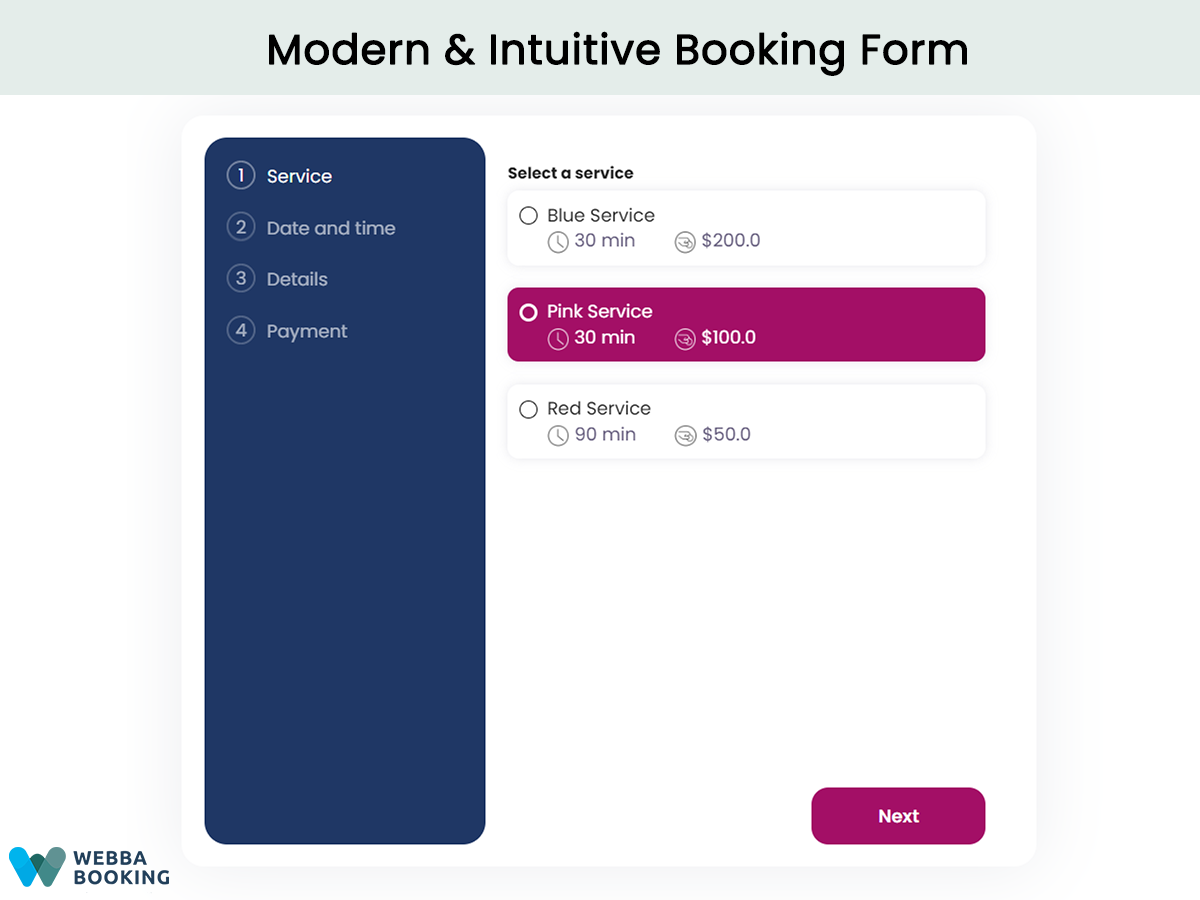
Set up booking form easily with shortcodes 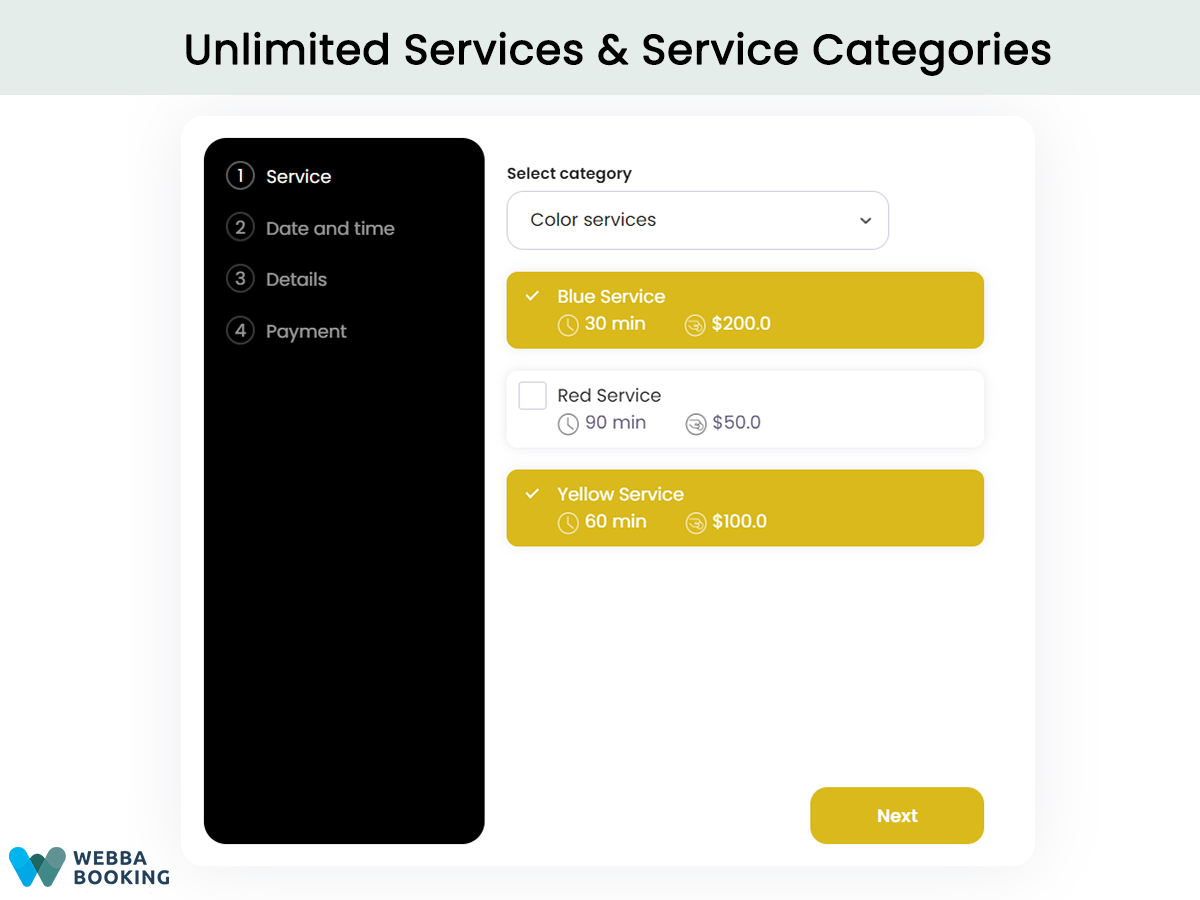
Offer unlimited services and group them into categories 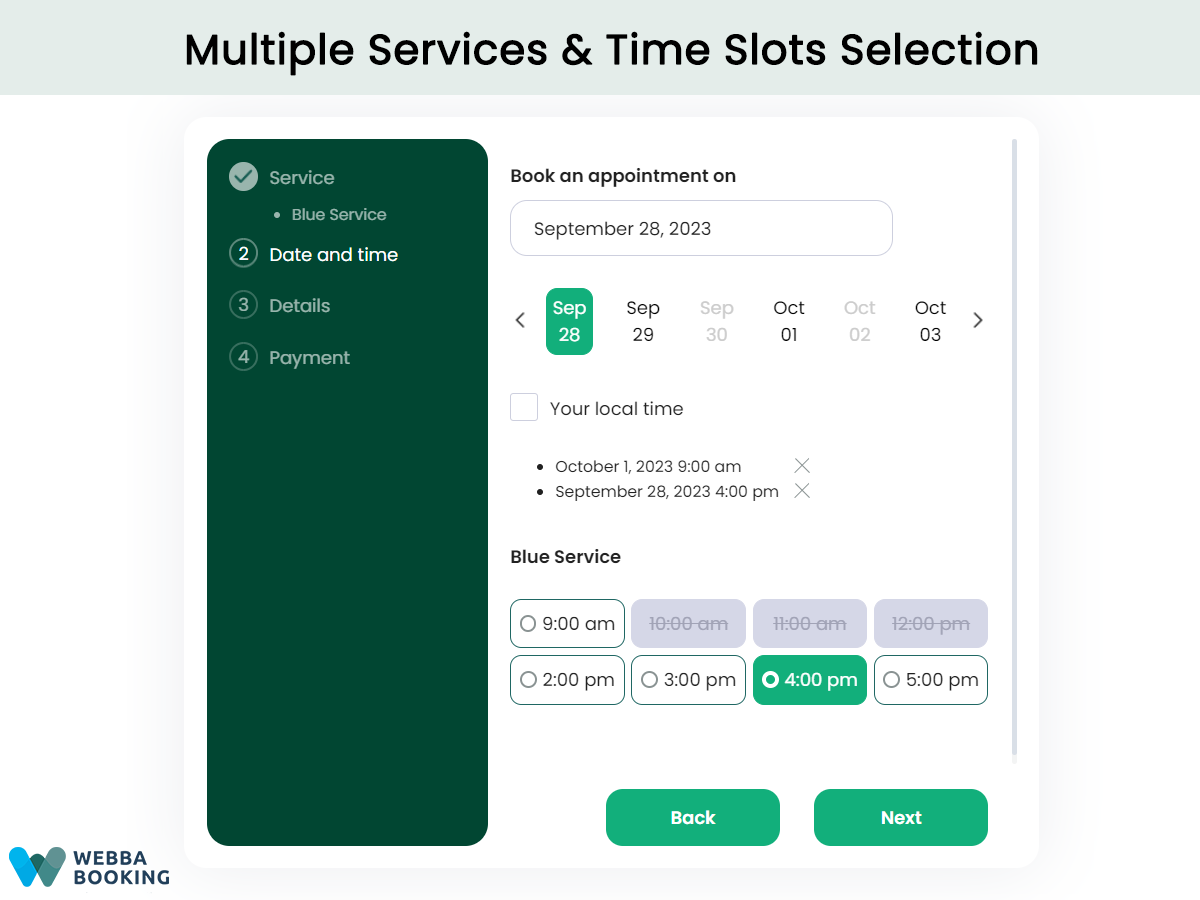
Allow to book multiple services or time slots in one booking 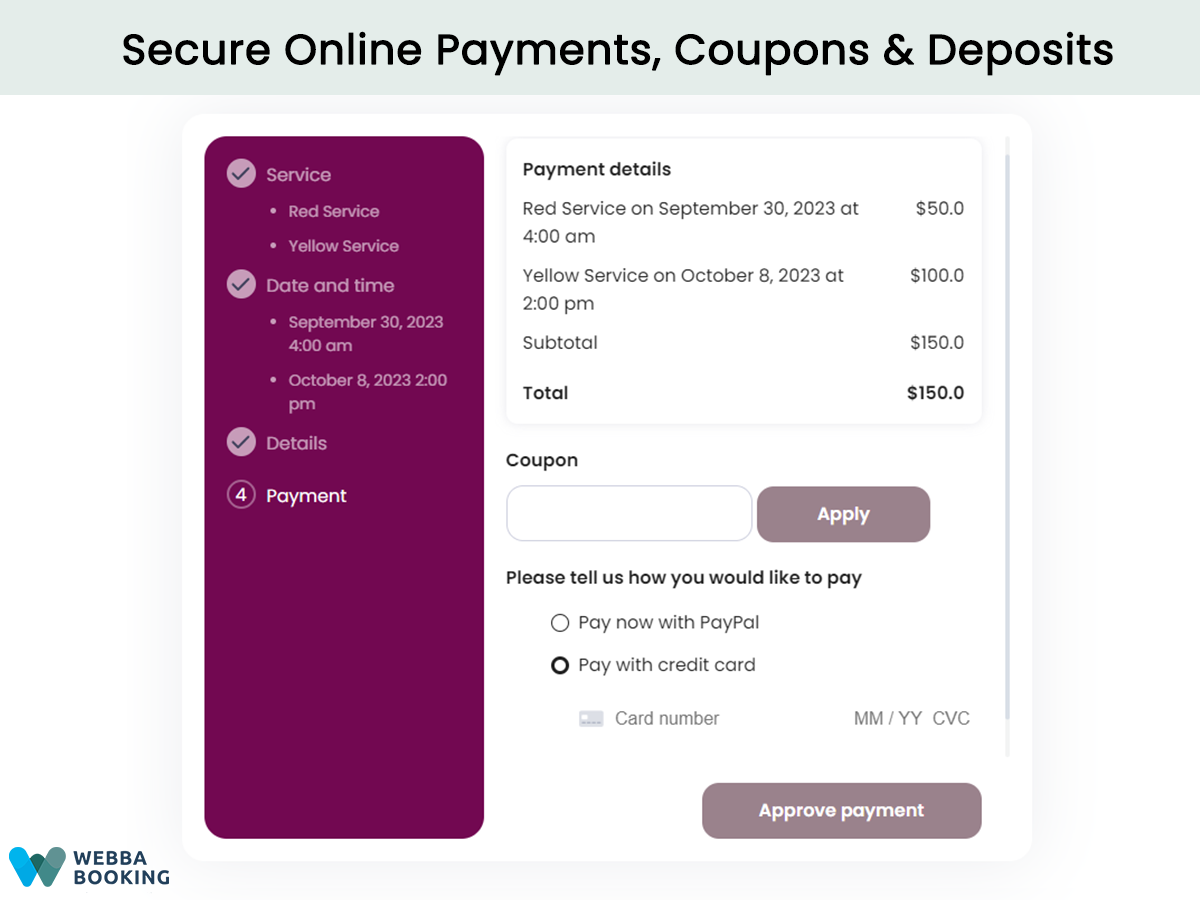
Connect to PayPal, Stripe or WooCommerce for online payments 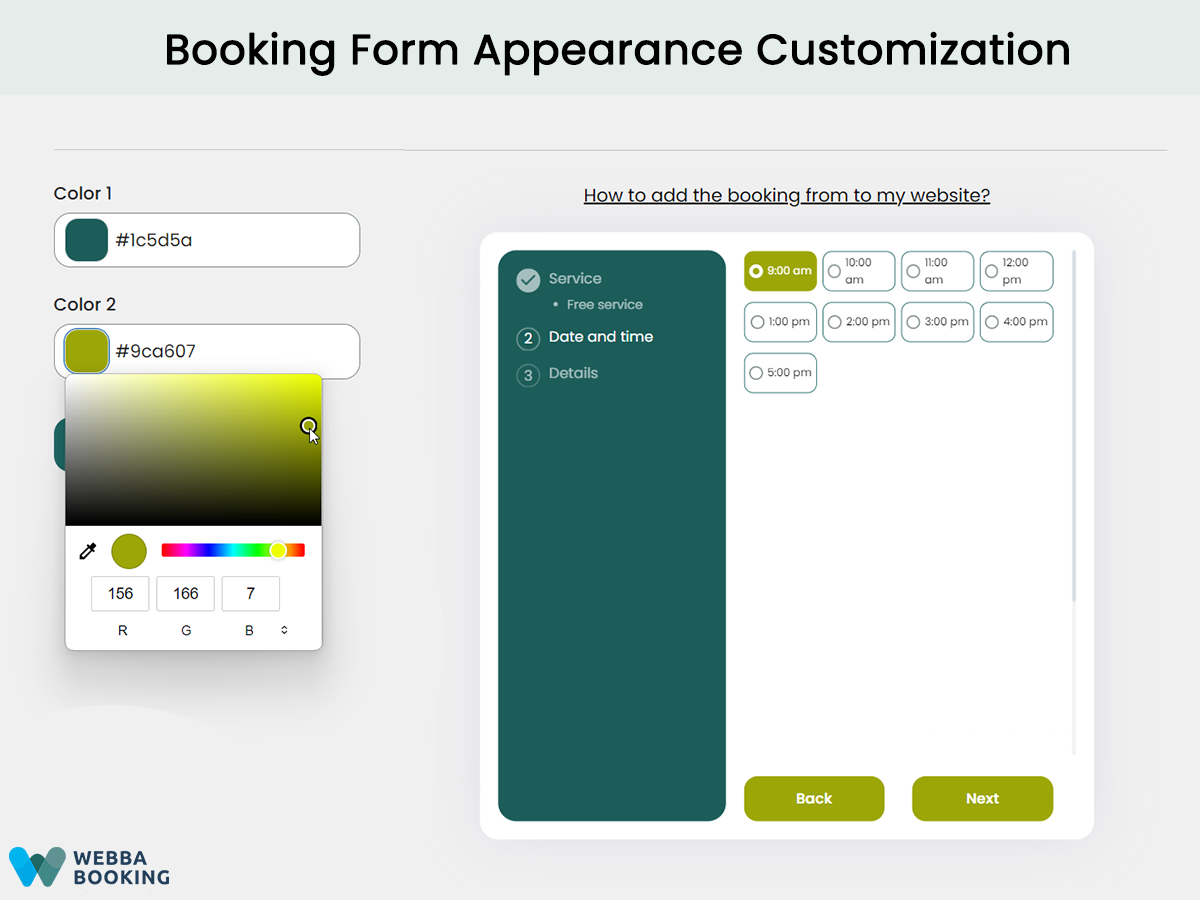
Customize the booking form's appearance 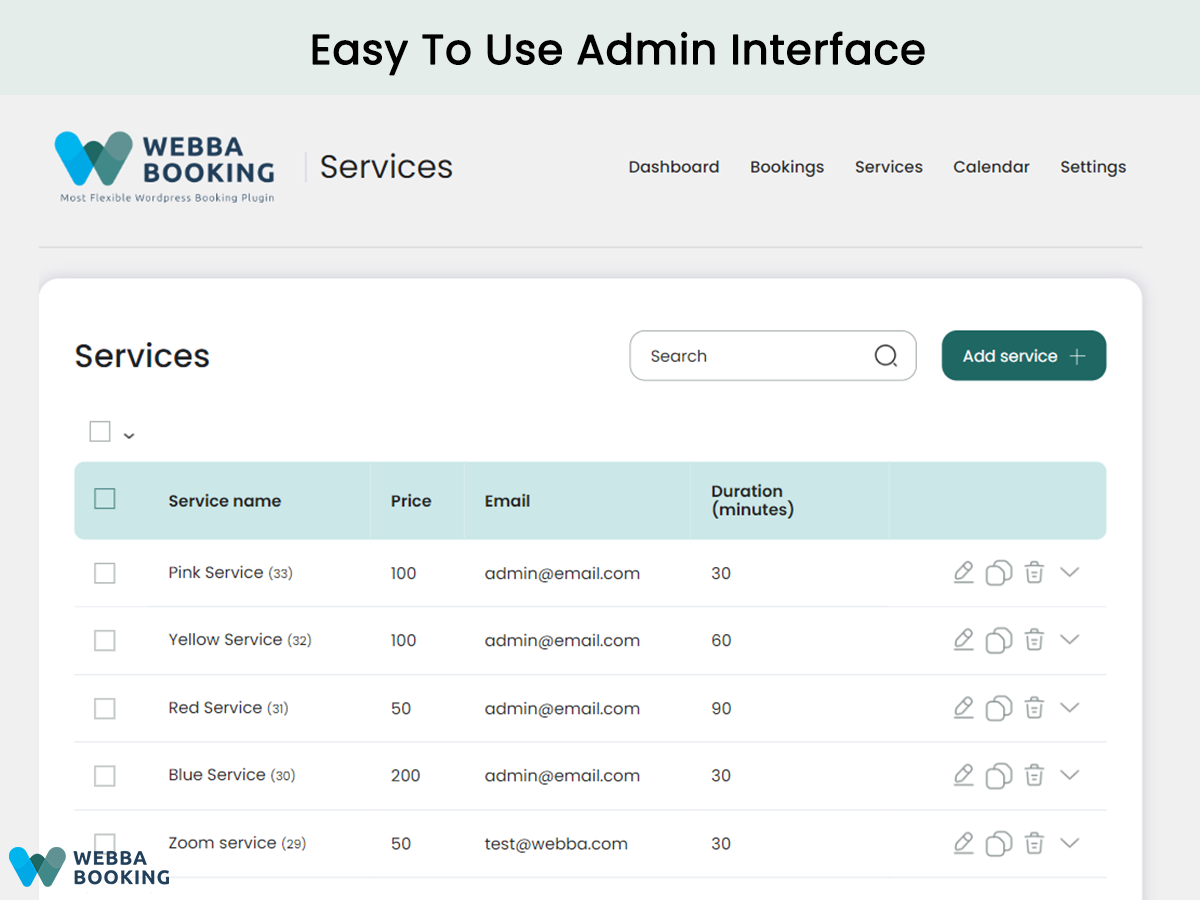
Manage your bookings without any coding skills 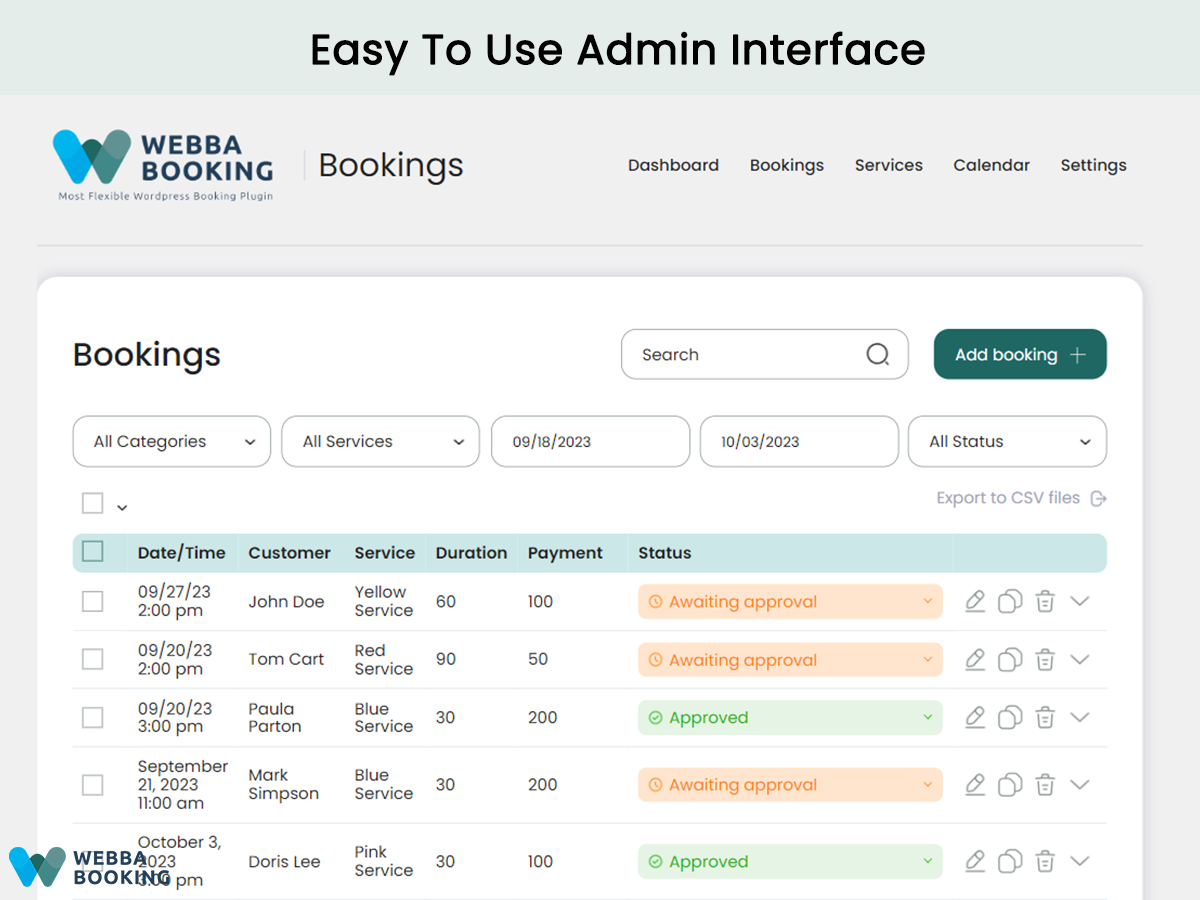
Gain an overview of all the bookings in one place 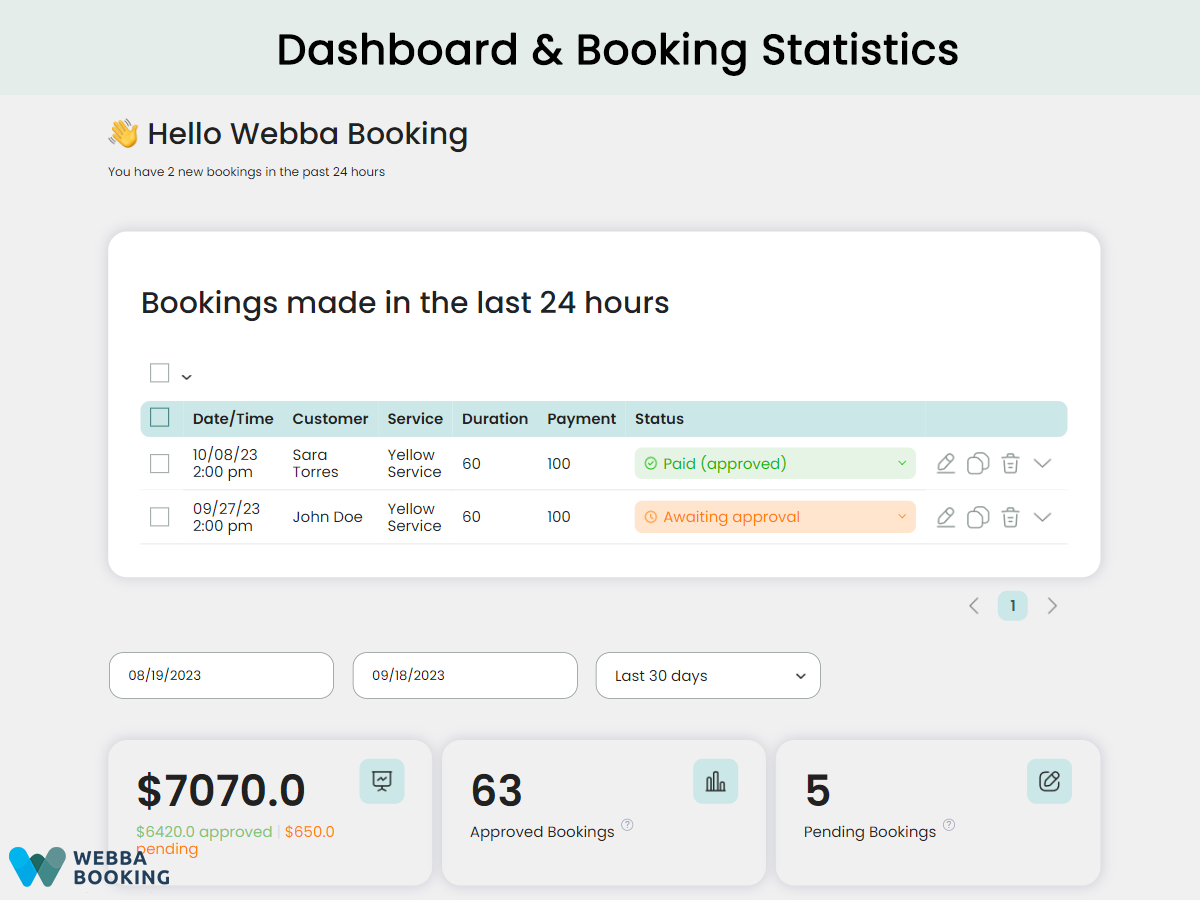
Tracking your business’ KPIs in the Dashboard 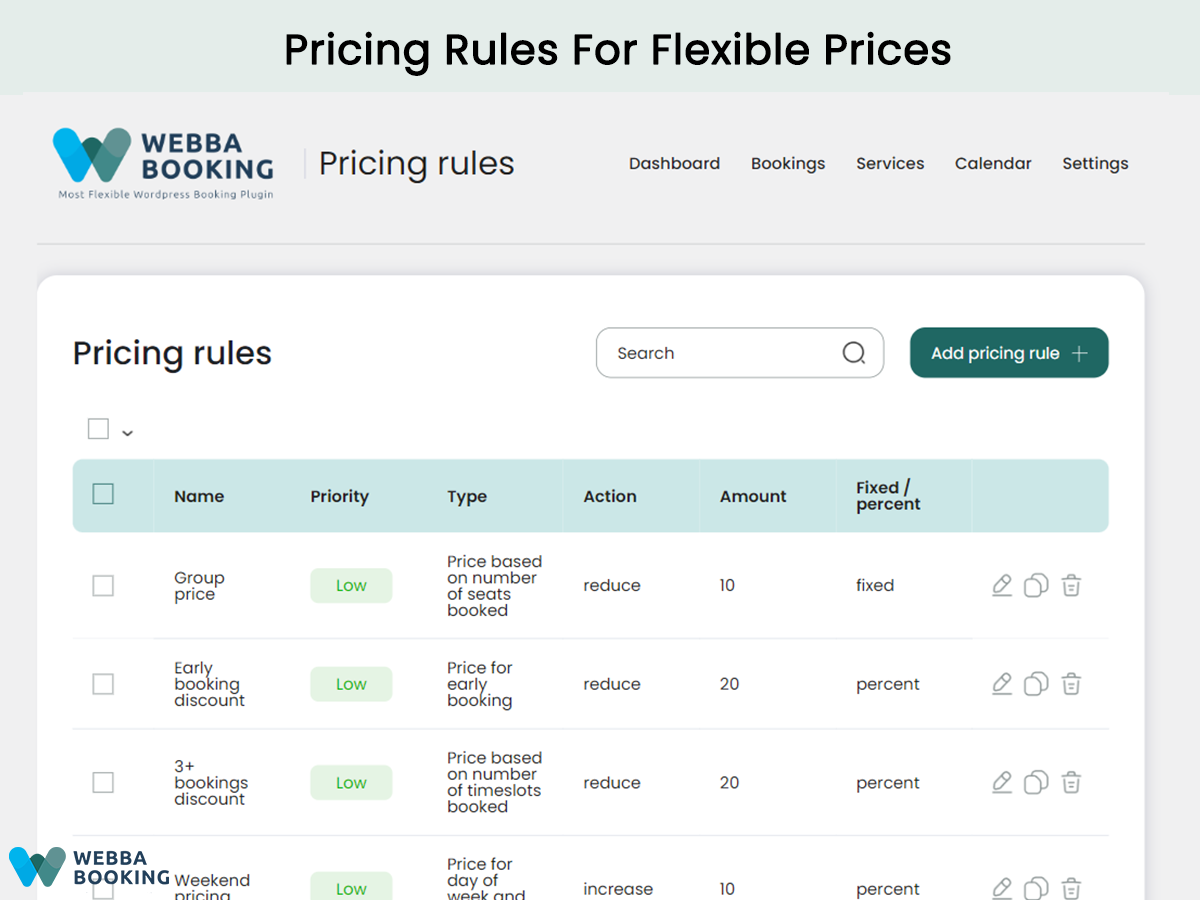
Set up pricing rules based on day, early booking and more 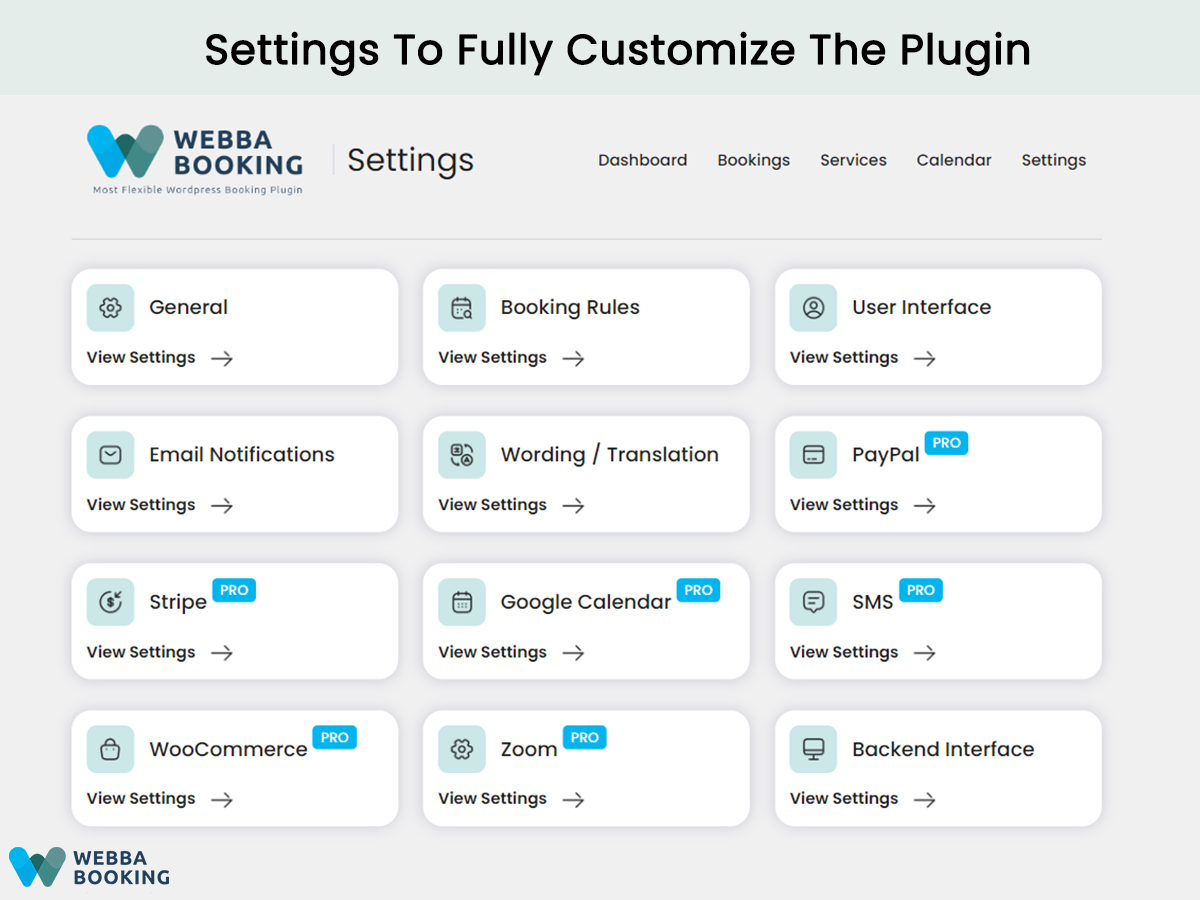
Customize the plugin with a powerful settings dashboard 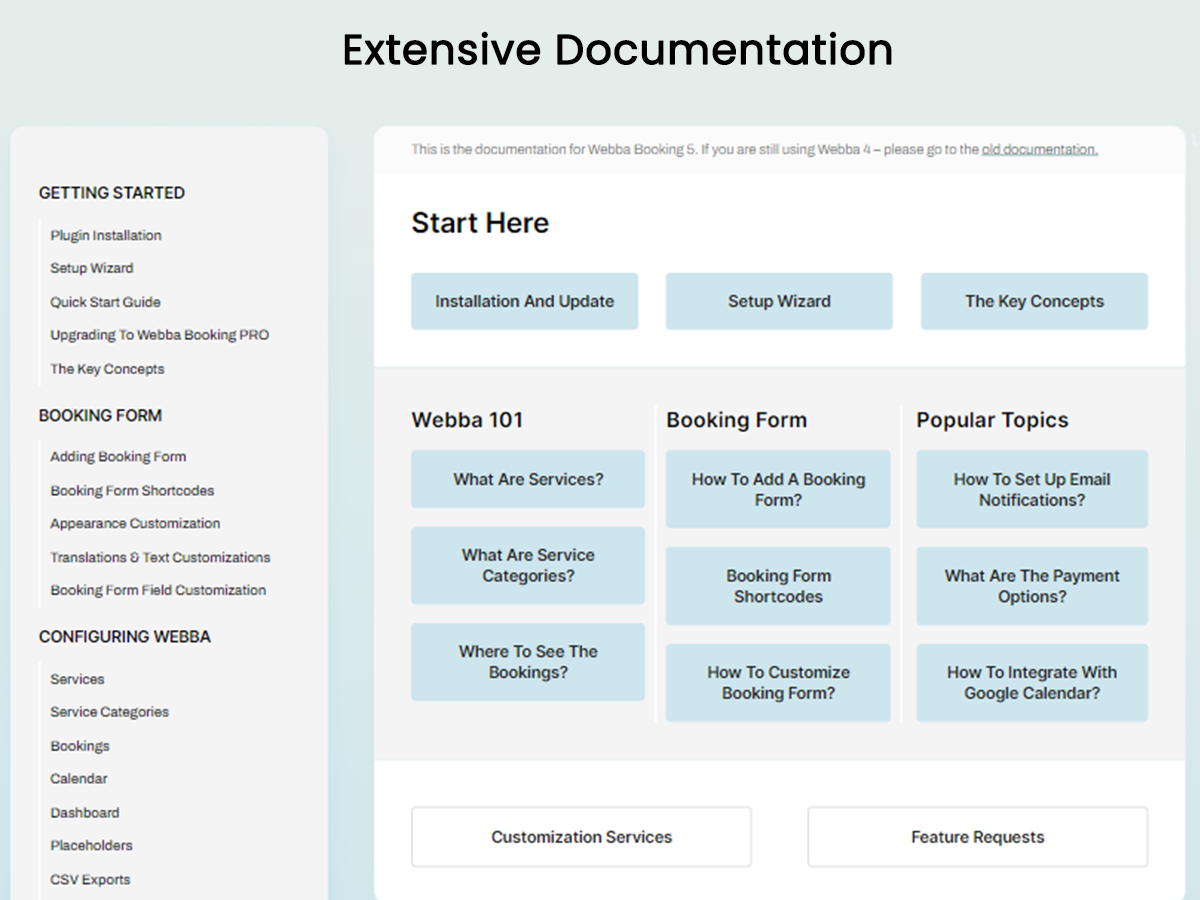
Access comprehensive documentation for a seamless setup
Instalación
Automatic installation is the easiest option as WordPress handles the file transfers itself and you don’t even need to leave your web browser.
To do an automatic install of Webba Booking, log in to your WordPress dashboard, navigate to the Plugins page and click Add New.
In the search field type «Webba Booking» and click Search Plugins. Once you have found our plugin you can install it by simply clicking Install Now.
After clicking that link you will be asked if you are sure you want to install the plugin. Click yes and WordPress will automatically complete the installation.
Manual installation
The manual installation method involves downloading our plugin and uploading it to your web server via your favorite FTP application.
- Download the plugin file to your computer and unzip it
- Using an FTP program, or your hosting control panel, upload the unzipped plugin folder to your WordPress installations wp-content/plugins/ directory.
- Activate the plugin from the Plugins menu within the WordPress admin.
Getting started
When the title of the plugin has appeared on your dashboard, you may start the setup. The following steps are required to make it possible for customers use your newly installed plugin:
Browse all the tab and fill with your datas and desired settings
Add a booking form to a website page using one of the available shortcodes.
Upgrade to pro version
- Deactivate free version.
- Install and activate premium version.
FAQ
-
Can I see how Webba Booking works before installation?
-
Yes! Check out our online demos to see how the frontend and backend of Webba Booking works.
-
Do you offer free trials for the PRO version?
-
Yes! We offer 14-day free trial so you can test everything you need.
-
How to upgrade to Webba PRO version?
-
If you have a Webba Booking Lite version, just go to your WP dashboard, click on Webba and in the left menu you’ll see “Pricing” menu item. Click on it and choose the plan you want.
Alternatively, you can go to our website and upgrade right there. -
Does Webba Booking offer payment integrations?
-
Yes, Webba Booking PRO offers integrations with Paypal, Stripe, and Woocommerce (with its 100+ gateways) to provide secure online payment options for your customers.
-
Can I translate Webba to other languages?
-
Yes, Webba Booking has in-built wording/translation feature for the booking form and it is also compatible with translation plugins like Loco Translate, Polyland and WPML.
-
Can email notifications be customized?
-
Yes, Webba Booking offers great email customization features including different placeholders for variable elements.
-
Is Webba Booking compatible with my theme and/or page builder?
-
Yes, Webba Booking is compatible with most themes and page builders (Elementor, Divi, Gutenberg). In case of any conflicts, our support team will be happy to help you out.
-
How can I contact Webba Booking support?
-
Visit our WordPress plugin support forum or send us a message on our website’s contact form. Our team will be happy to answer any of your questions!
-
How can I report security bugs?
-
You can report security bugs through the Patchstack Vulnerability Disclosure Program. The Patchstack team help validate, triage and handle any security vulnerabilities. Report a security vulnerability.
Reseñas


Colaboradores y desarrolladores
«Appointment & Event Booking Calendar Plugin – Webba Booking» es un software de código abierto. Las siguientes personas han colaborado con este plugin.
Colaboradores

«Appointment & Event Booking Calendar Plugin – Webba Booking» ha sido traducido a 2 idiomas locales. Gracias a los traductores por sus contribuciones.
Traduce «Appointment & Event Booking Calendar Plugin – Webba Booking» a tu idioma.
¿Interesado en el desarrollo?
Revisa el código , echa un vistazo al repositorio SVN o suscríbete al registro de desarrollo por RSS.
Registro de cambios
5.0.38
02/04/2024
- Bugfix: bugs with the dashboard calendar translation
5.0.37
01/04/2024
- Improvements: schedule interface improved
- Improvements: option of service emails copies improved
- Improvements: showing booking on the Schedule tools weekly calendar
- Improvements: custom email template for arrival notifications
- Bugfix: bug with subjects of certain notifications
- Bugfix: error message when booking duplicated
- Bugfix: bugs with dashboard calendar translation
5.0.35
04/03/2024
- Improvements: ability to send delayed arrival notification
- Improvements: ability to send payment notification when selecting «Pay on Arrival» method
- Improvements: improved layout of service descriptions
- Improvements: improved layout for mobile
- Improvements: automatic selection of payment method when only one method is available
5.0.33
07/02/2024
- Bugfix: bug with the user roles on certain configurations
5.0.32
03/02/2024
- Bugfix: conflict with certain cache plugins
5.0.31
01/02/2024
- Improvements: new placeholders for admin token and customer token
- Improvements: option to set behaviour of the form height on the ‘Details’ step
- Improvements: option to allow non-admin users edit service properties
- Improvements: option to show local or server time by default
- Improvements: option to define booking details shown in the admin’s Calendar
- Bugfix: bug with validation of mandatory select field
- Bugfix: bug with showing descriptions on certain configurations
- Bugfix: bug with mobile layout of Schedule tools
- Bugfix: bug with creation of pricing rules on certain configurations
- Bugfix: admin calendar did not use the general ‘Week Starts On’ WordPress option
5.0.30
05/01/2024
- Bugfix: bug with email notifications sent on payment
5.0.29
02/01/2024
- Bugfix: bug with searching time on PHP 8.2
5.0.28
01/01/2024
- Improvements: French translation improved
- Improvements: option ‘Automatically proceed to the next step’ when time slot is selected
- Improvements: local hours are shown by default
- Bugfix: bug with validation of file field and minimal and maximum length
- Bugfix: bug with the option ‘Actions to complete the payment’
5.0.26
14/12/2023
- Improvements: translation improved
- Improvements: more CSS classes to customize appearance
- Improvements: option to show user names in the time slots
- Improvements: showing service names in the calendar
5.0.25
30/11/2023
- Improvements: mobile layout improved
- Bugfix: bug with service descriptions on certain configurations
- Bugfix: bug with custom fields encoding
- Bugfix: bug with the order of services inside category
5.0.23
20/11/2023
- Improvements: option to control payment on Arrival method
- Improvements: service descriptions in the booking form
- Improvements: option to set up translation of the cancellation form title
- Improvements: #total_amount placeholder in the Booking form label option
- Bugfix: wrong message when booking can’t be canceled due to buffer
5.0.22
03/11/2023
- Improvements: conditional fields in custom forms
- Improvements: choose payment method by default for ‘Pay on arrival’ payment method
- Improvements: Back and Next buttons translatable in the Wording / Translation settings
- Bugfix: issues with special characters in the CSV export
- Bugfix: issues with email template styling (on saving)
5.0.21
24/10/2023
- Maintenance update
- Bug fix: bug with autolock tools
5.0.19
21/10/2023
- Bugfix: minor bugfix
5.0.17
20/10/2023
- Improvements: translation improvements
- Bugfix: minor bugfix
5.0.16
12/10/2023
- Bugfix: minor bugfix
5.0.15
09/10/2023
- Improvements: minor improvements
- Bugfix: minor bugfix
5.0.14
05/10/2023
- Bugfix: minor bugfix
5.0.11
01/10/2023
- Improvements: minor improvements
5.0.8
23/09/2023
- ugfix: bug with the custom forms on certain configurations
5.0.7
21/09/2023
- Improvement: minor style improvements
- Bugfix: minor bugfix
5.0.5
19/09/2023
- Bugfix: bugs with the multiple service selection
5.0.4
18/09/2023
- Improvement: number of people and comment shown in the calendar
- Improvement: payment icon updated
- Improvement: minor style improvements
- Improvement: option to set British date format in the backend
- Bugfix: with the option ‘Week starts’
- Bugfix: with todays bookings on the Bookings page
- Bugfix: wrong time on invoices
- Bugfix: bug with the comment field
- Bugfix: bug with the import to CSV
- Bugfix: bugs on the calendar page
5.0.3
16/09/2023
- Bugfix: bugs on the calendar page
- Bugfix: bugs with the checkbox fields
- Bugfix: bugs with the checkbox fields
- Bugfix: other minor bug fixes
5.0.2
14/09/2023
- Bugfix: minor bug fix
5.0
13/09/2023
BIG UPDATE: IMPORTANT – changed everything
4.5.33
01/09/2023
- Bugfix: minor bug fixes
- Maintenance update
4.5.31
05/07/2023
- Bugfix: minor bug fixes
4.5.28
03/06/2023
- Bugfix: bug with the cancellation link on certain configurations
- Bugfix: bug with time extended mode in certain configurations
4.5.27
09/06/2023
- Improvement: setup wizard
4.5.26
09/06/2023
- Bugfix: bug with payments on certain configuration
4.5.25
07/06/2023
- Security: option to set security level for troubleshooting cache problems
- Improvement: automatically show popup calendar
- Improvement: availability to set pricing rules with zero amount
- Bugfix: bug with export to CSV on certain configurations
- Bugfix: bug with cancellation notifications
4.5.24
06/06/2023
- Bugfix: bug in extended mode on certain configurations
4.5.23
01/06/2023
- Bugfix: bug with locked dates on certain configurations
4.5.22
28/05/2023
- Bugfix: bug with the option ‘Allow to book the ongoing timeslot’
4.5.21
24/05/2023
- Security update
- Bugfix: bug with end time of Gooogle calendar event
- Bugfix: bug approval notification on certain configurations
- Bugfix: bug in extended mode on certain configurations
4.5.19
19/05/2023
- Bugfix: bug with autlock on certain configurations
4.5.18
17/05/2023
- Improvement: separate message template for automatic cancellation
- Improvement: custom templates for approval Notifications
- Bugfix: bugs on the schedule page when time slots unlocked manually
- Bugfix: narrow timeslots on certain configurations
4.5.17
19/04/2023
- Improvement: adding multiple time slots from the backend
- Improvement: #username placeholder for a single place services
- Bugfix: bug with redirect after payment on certain configurations
- Bugfix: bug with custom fields on the schedule page
- Bugfix: doubled booked time slots
- Bugfix: issue with iCal in the free version
- Bugfix: bug with payment methods in the free version
- Bugfix: bug with disabling dates in the calendar on certain configurations
- Bugfix: bug with the timezone after cancellation of booking on the Schedule page
4.5.16
13/04/2023
- Bugfix: critical bug fix in the free version
4.5.15
11/03/2023
- Bugfix: bug with redirect when payment is made using coupon
- Bugfix: bug with DST on certain configurations
- Bugfix: bug with showing booked time slots on certain configurations
- Bugfix: bug on the Schedule page
4.5.12
09/03/2023
- Improvements: performance improvements
- Improvements: integration with WooCommerce improved
- Improvements: option to set service dropdown placeholder
- Bugfix: bug with booking form submition on certain configurations
- Bugfix: bug with expiration time on certain configurations
4.5.11
08/03/2023
- Bugfix: bug with the locked dates
4.5.10
18/02/2023
- Bugfix: bug dashboard on certain configurations
4.5.9
17/02/2023
- Bugfix: bug with the option ‘Show booked timeslots’
- Bugfix: bug with the message when there is no time slots found
- Improvements: performance improvements
4.5.8
07/02/2023
- Bugfix: bug with the option ‘Set status after booking is paid with Stripe to’
- Bugfix: bug with service description on certain configurations
4.5.7
02/02/23
- Bugfix: Bug with the option ‘Default number of days shown in extended mode’
- Bugfix: Bug with the phone formatting on the Schedule page
- Bugfix: Bug with the option ‘Prefill fields in WooCommerce checkout with the data used in the booking form’
- Bugfix: Bug with adding events to Google calendar when bookings are added in the dashboard
4.5.6
28/01/2023
- Bugfix: bug with availability calculation on certain configurations
4.5.5
26/01/2023
- Bugfix: bug with autolock on certain configurations
- Bugfix: bug with the option ‘Week starts on’
4.5.4
15/01/2023
- Bugfix: minor bugfix
4.5.3
10/01/2023
- Bugfix: minor bugfix
4.5.2
09/01/2023
- Bugfix: minor bugfix
4.5.1
09/01/2023
- Bugfix: bug with the export to CSV
4.5.0
05/01/2023
- Core update
4.4.7
12/12/2022
- Bugfix: rolling back to previous version due to certain amount of bugs
4.4.6
12/12/2022
- Bugfix: bug with multiple mode on certain configurations
- Bugfix: bug on the Schedule page when non-admin user is logged
- Bugfix: bug with updating bookings made in ‘night hours mode’
4.4.5
11/12/2022
- Bugfix: bug with the night hours option
- Bugfix: bug with category shortcode
- Bugfix: bug with the placeholder in the thank you message
4.4.3
10/12/2022
- Bugfix: bug with the Stripe payments
4.4.1
09/12/2022
- Improvements: core update
4.2.30.5
20/10/2022
- Bugfix: minor bug fix
4.2.30.4
19/10/2022
- Bugfix: minor bug fix
4.2.30.3
17/10/2022
- Bugfix: bugs on the Schedule page
4.2.30.2
17/10/2022
- Bugfix: wrong time on the Appointments page on certain configurations
- Bugfix: bookings not shown on the Schedule page if the timeslot is locked
4.2.30.1
10/10/2022
- Improvements: PDF attachments for ‘on booking’ notifications
- Bugfix: bug on the services page on certain configurations
4.2.30
23/09/2022
- Bugfix: bug with the CSV export
4.2.29
18/09/2022
- Improvements: reply-to headers in the configuration improved
- Improvements: ability to set number of days prior sending SMS reminder
- Improvements: integration with Zoom
- Bugfix: wrong time in the invoices sent on approval
- Bugfix: issue with performance on websites with large number of users
- Bugfix: bug with the service name placeholder when adding multi-service events to the google calendar
4.2.27
29/06/2022
- Bugfix: minor bugfix
4.2.26
20/06/2022
- Bugfix: bug with the option ‘Maximum number of bookings at a specific time’
4.2.25
24/05/2022
- Improvements: service filter interface improved
- Improvements: automatic cancellation improved
- Bugfix: bug with status of time slots on the Schedule page
- Bugfix: bug with the availability of dates in the calendar on certain configurations
21/04/2022
4.2.24
- Bugfix: Important bug fix
15/04/2022
4.2.22
- Security update
- Bugfix: Bug with certain characters in the front-end texts
13/04/2022
4.2.21
- Security update
- Bugfix: Minor bugfix
25/02/2022
4.2.18
- Maintenance update
18/02/2022
4.2.17
- Bugfix: minor bugfix
11/02/2022
4.2.16
- Bugfix: minor bugfix
31/01/2022
4.2.15
- Bugfix: bug with the time in the ‘on approval’ SMS
28/01/2022
4.2.12
- Bugfix: bug with email validator
- Bugfix: bug with status auto-update on certain configurations
21/01/2022
4.2.11
- Improvements: sending SMS on approval
- Improvements: update of total amount removed when regular fields are changed
- Improvements: option to automatically change status to arrived and send ‘On arrival’ notification
- Improvements: option to remove default value from the ‘Number of seats’ field
- Bugfix: minor bugfix
13/01/2022
4.2.8
- Bugfix: minor bugfix
11/01/2022
4.2.7
- Bugfix: bug with rendering time slots on certain configurations
10/01/2022
4.2.6
- Bugfix: bug with editing booking on some configurations
- Bugfix: bug with placeholders on some configurations
01/01/2022
4.2.5
- Bugfix: bug with options on PHP 8
30/12/2021
4.2.4
- Bugfix: bug with the PayPal initialization
- Bugfix: bug with availability calculation on certain configurations
28/12/2021
4.2.2
- Bugfix: minor bug fix
27/12/2021
4.2.0
- Improvements: export to CSV improved
- Improvements: option to automatically select the first available date
- Improvements: option to change the text of selected timeslot
- Improvements: showing the total amount on the Appointments page
- Improvements: new placeholder for the ‘Booking form label’ option – #dnl (dates with new line)
- Improvements: new placeholder for the ‘Booking form label’ option – #lrange (local time range in multiple selection mode)
- Improvements: ability duplicate of bookings on the Appointments page
- Improvements: default order by date/time on the Appointments page
- Improvements: order services by time in the multi-service mode
- Improvements: certain HTML tags are allowed in the option values
- Improvements: option to disable Nice select in the backend dashboard
- Improvements: option to add new lines in the ICS description
- Bugfix: bug with unlocked dates when booking on the same date
- Bugfix: bug with the number of selected timeslots when range booking is enabled
- Bugfix: wrong duration in autolock on certain configurations
- Bugfix: conflict with the Oxygen Builder resolved
- Dev: action for booking cancellation by a customer
25/10/2021
4.1.8
- Bugfix: Bug with the local time and DST
21/10/2021
4.1.7
- Bugfix: bug with the scroll in extened mode
13/10/2021
4.1.6
- Improvements: option to show a message if date dropdown is empty
- Improvements: doc and docx formats available for upload
- Improvements: XSS vulnerability fixed
- Improvements: added multi-select input support in custom forms
- Improvements: multi-site support
- Bugfix: incorrect usage limit in coupons on certain configurations
- Bugfix: bug with the cancellation of the booking on the Appointments page
25/09/2021
4.1.4
- Bugfix: bug with automatic redirection when payment is completed using coupon_name
- Bugfix: bug with the service placeholder in the payment item
- Bugfix: DST issues
22/09/2021
4.1.3
- Bugfix: minor bugfixes
24/08/2021
4.1.1
- Bugfix: minor bugfixes
20/08/2021
4.1.1
- Improvements: option to define status of the booking after payment with stripe
- Improvements: option to not tax the deposit amount
- Improvements: WooCommerce coupon restrictions for Service and Pricing rules
- Bugfix: minor bugfixes
27/07/2021
4.1.0
- Improvements: usage of table prefix in the plugin table names
- Improvements: sending SMS on manual booking
- Improvements: the ability to set multiple ICS calendars
- Bugfix: issue on the schedule page with past bookings
- Bugfix: issue with notifications when multiple bookings added manually
06/07/2021
4.0.74
- Bugfix: bug with the credit card payment initialization
05/07/2021
4.0.73
- Improvements: show days in one row if there is only one timeslot available
- Improvements: connection with external ics calendars (integration with Outlook)
- Improvements: expanded list of possible statuses
- Improvements: added a confirmation button when deleting bookings on the Schedule page
- Improvements: the ability to send reminders by email on the current day
- Improvements: sending data to the administrator if it is impossible to connect to the Google calendar
- Improvements: show service description for single service forms
- Improvements: service fees (deposits)
- Improvements: option to take into account the bookings added by Webba during the two-way synchronization
- Improvements: limiting options improved
- Improvements: option to load plgin javascript in footer
- Bugfix: issue with long service descriptions
- Bugfix: past bookings are not displayed on the Schedule page
- Bugfix: bug with night hours
- Bugfix: bookings are not added to Google calendar when paying with WooCommerce
- Bugfix: error on PHP 8.0 on certain configurations
17/06/2021
4.0.72
- Bugfix: minor bug fix
16/06/2021
4.0.71
- Bugfix: bug with limit options
01/06/2021
4.0.69
- Bugfix: bug with automatic cancellation of bookings on certain configurations
18/05/2021
4.0.68
- Bugfix: minor bug fix
17/05/2021
4.0.67
- Improvements: option to connect pricing rule with the number of places booked
- Improvements: option to allow time slots cross midnight
- Improvements: option to set general service fee
- Improvements: compatibility with the Food Book plugin
- Bugfix: bug with pricing rules on certain configurations
- Bugfix: bug with reminders on certain configurations
- Bugfix: bug with unexpected warning messages in the dashboard
- Bugfix: bug with script caching on certain configurations
14/04/2021
4.0.65
- Improvement: new option in pricing rules
- Improvement: option to set service fee
- Improvement: additional check of reminders data
- Improvement: dynamic total amount in the form label
- Improvement: easy duplication of data in the dashboard
- Improvement: automatic cancellation does not affect free services
- Improvement: service description placeholder #description for the form label
- Bugfix: bug with GDPR option and ongoing bookings
- Bugfix: bug with availability in overlapping intervals
- Bugfix: bug with inactive timeslots
- Bugfix: bug with the option ‘Skip time slot selection’
12/03/2021
4.0.57
- Bugfix: bug in multi-service booking on certain configurations
12/03/2021
4.0.56
- Bugfix: bug with the local time conversion on certain time zones
09/03/2021
4.0.55
- Bugfix: bug with availability in the Calendar on iOS device
25/01/2021
4.0.46
- Bugfix: custom field values are not exported to CSV
- Bugfix: bug with the booking cancellation
22/01/2021
4.0.45
- Improvement: the ability to use HTML in the ‘Booking form label’ option
- Improvement: option to disable considering the availability of overlapping time intervals
- Improvement: option to remove not processed placeholders
- Bugfix: attachment in the notification sent to a customer
- Bugfix: bug with popup calendar on certain configurations
- Bugfix: bug with the email sent to a customer form the group
- Bugfix: IDs in the CSV export
08/01/2021
4.0.44
- Improvement: 2-way synchronization on checking availability in the calendar
- Improvement: option to disable shortcode buttons in the editor
05/01/2021
4.0.42
- Bugfix: bug with reminders
30/12/2020
4.0.41
- Improvements: tomorrow’s agenda can be customized using the appointment loop
- Improvements: a new type of email notifications – when booking changed
- Bugfix: bug with the option ‘Synchronization of group services’
23/12/2020
4.0.38
- Improvements: SMS notifications
12/22/2020
4.0.36
- Bugfix: wrong time in the ‘on booking’ notification on certain configurations
12/18/2020
4.0.35
- Bugfix: minor bug fixes
- Bugfix: database error on certain configurations
12/17/2020
4.0.33
- Improvements: pricing rules
- Bugfix: bug with the time format on the Appointments page
- Bugfix: bug with the service names and description translation using WPML
- Bugfix: bug with the calendar on certain iOS devices
12/09/2020
4.0.32
- Bugfix: bug with the activation on certain configurations
- Bugfix: bug with services and coupons update on WP 5.6
12/08/2020
4.0.31
- Bugfix: error on the Coupons page on certain configurations
12/02/2020
4.0.29
- Bugfix: warning message after booking added or updated on the Appointments page
11/30/2020
4.0.28
- Bugfix: bug with the ordering bookings by date or time on the Appointments page
- Bugfix: bug with the highlighting of acceptance field
11/26/2020
4.0.27
- Improvement: the number of rows in the dashboard tables is remembered
- Improvement: option to hide postal code in the Stripe element
- Bugfix: bug with the custom fields title on the Schedule page
11/25/2020
4.0.26
- Bugfix: bug in the dashboard when adding / updating elements
11/25/2020
4.0.25
- Bugfix: bug with cancelled booking in the WooCommerce cart
- Bugfix: bug with booking udpdate on certain configurations
11/24/2020
4.0.23
- Bugfix: bug with automatic cancellation of not paid booking